Thermostat
Keep a room at a set temperature by switching a heating relay from a temperature sensor.
The Thermostat template keeps a room at the temperature you set. It reads one or more temperature sensors and switches a heating output — an underfloor heating actuator, an electric heater, a boiler contact — on when the room is too cold and off when it is warm enough.
It runs on the controller itself, so the heating keeps working when Home Assistant or the network is down.
It is a heating-only thermostat with two modes, heat and off. It does not drive cooling, and it does not modulate — the output is either on or off.
How it decides
The thermostat keeps the temperature in a band around the target, set by the Hysteresis:
- below target − hysteresis it turns the heating output on,
- above target + hysteresis it turns it off,
- in between it leaves the output as it is.
With a target of 21 °C and a hysteresis of 0.5 °C the heating comes on at 20.5 °C and goes off at 21.5 °C. A larger hysteresis means fewer relay clicks and a wider swing in temperature.
With more than one sensor the thermostat uses the average of the readings it has received.
Setting one up
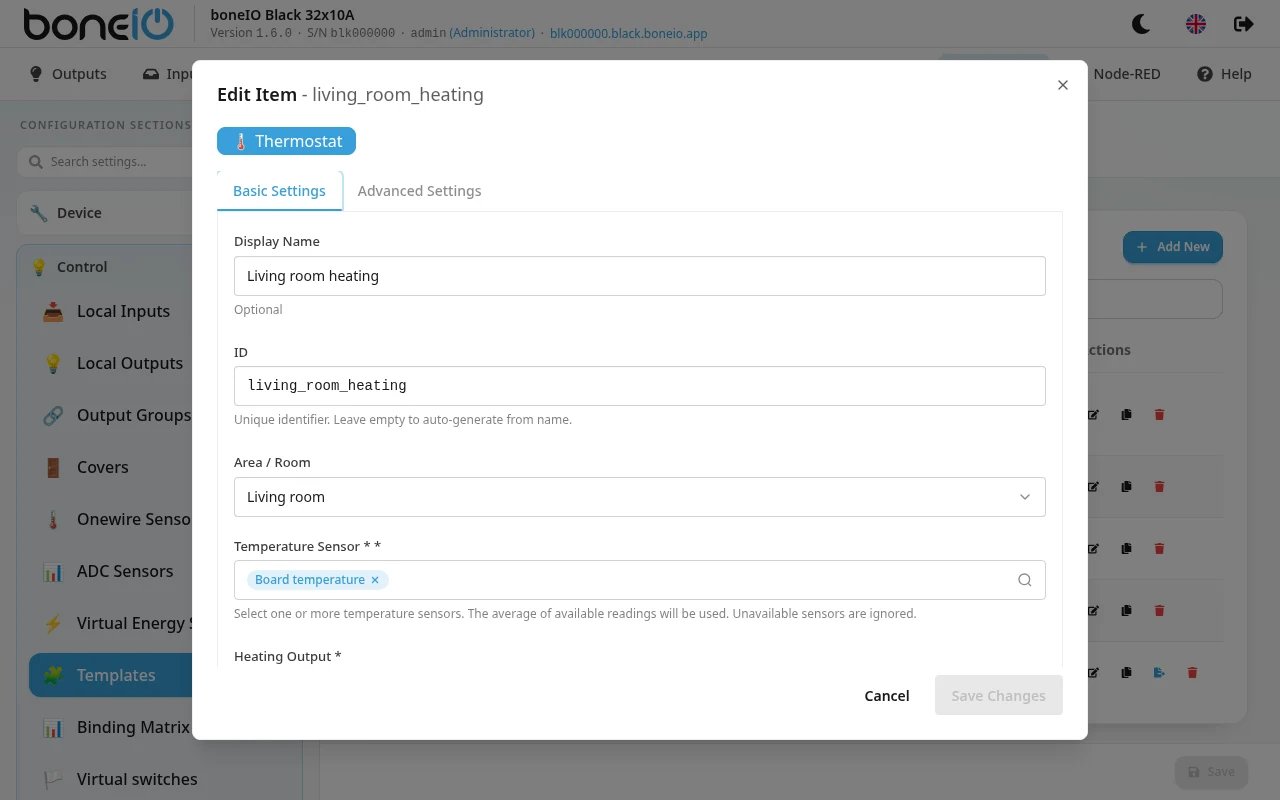
- Open Settings → Control → Templates, click Add New and choose Thermostat
- Under Basic Settings fill in:
- Display Name — e.g. Living Room Heating,
- ID — leave empty to make it from the name,
- Area / Room,
- Temperature Sensor — pick one or more temperature sensors (board, 1-Wire, Modbus…),
- Heating Output — the output that switches the heating,
- Target Temperature
- Under Advanced Settings, if the defaults do not suit you, change Initial Mode, Hysteresis, Minimum Temperature and Maximum Temperature
- Save
| Field | What it does |
|---|---|
| Temperature Sensor | The sensors the thermostat reads. At least one is required. |
| Heating Output | The output switched on and off. Required. |
| Target Temperature | The temperature to hold, in °C. Default 21. |
| Initial Mode | HEAT or OFF — the mode the thermostat starts in after a restart. Default HEAT. |
| Hysteresis | Half the width of the band around the target, in °C. Default 0.5. |
| Minimum Temperature / Maximum Temperature | The range the target can be set in, from the panel or Home Assistant. Defaults 5 and 35. The target must lie inside it. |
The thermostat does not remember changes across a restart. After the controller restarts — a power cut, an update, a configuration change that needs one — it comes back in the Initial Mode with the Target Temperature from the configuration, whatever was set on the Templates page or in Home Assistant before.
Using it
On the Templates page each thermostat has a tile with the current temperature (now), the target (target), and the state: Heating, Idle or Off. The arrows change the target in 0.5 °C steps, and the button turns the thermostat off or back on. See Templates page.
In Home Assistant the thermostat is a climate entity with the modes heat and off, the current temperature, and a target settable in 0.5 °C steps between the minimum and maximum.