What's new in 1.6
Version 1.6 in plain words — what you get, what you need to do after the update, and where things moved.
In short
Version 1.6 makes the controller safer, easier to find your way around and able to do more on its own:
- the panel now has accounts and passwords — nobody on your network can change your controller without signing in,
- all settings are in one place, in seven groups, and a new Security page tells you what is still worth fixing,
- the controller can run things by itself: at a set time or with the sun, in modes such as Away, and even simulate someone being at home,
- the whole system — Debian, the kernel and boneIO — updates from the panel.
1.6 is our work of adapting boneIO Black towards the EU Cyber Resilience Act (CRA): a new controller is secure from the first start — the panel over HTTPS only, no default passwords, and an administrator account you create yourself.
Your configuration — outputs, inputs, covers, actions — stays exactly as it is.
Before the update
Coming from 1.5? Update to 1.5.6 first, keep a backup, and plan up to an hour — the first start runs system migrations. Do not cut the power while it runs; a UPS is recommended. The full list: Upgrading from 1.5 to 1.6.
What you need to do after the update
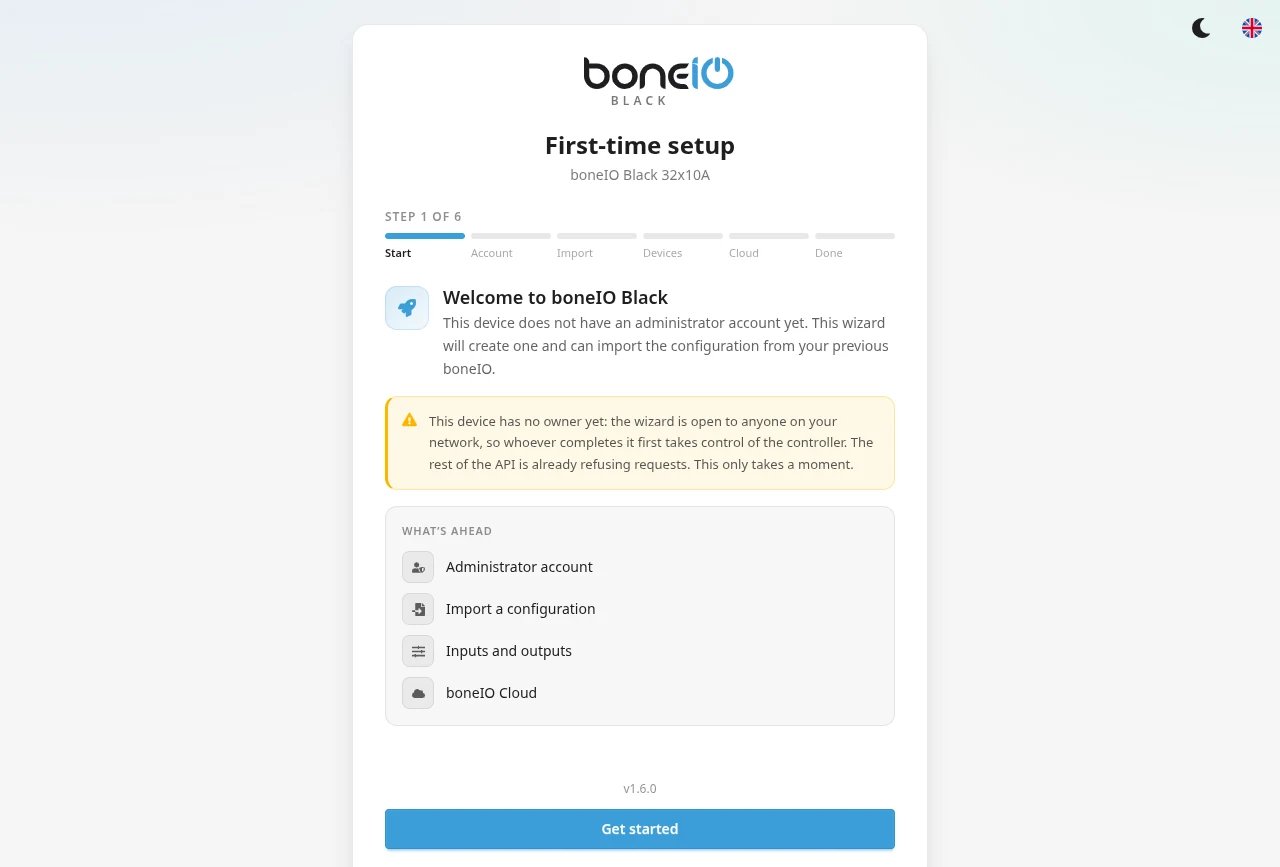
- Create an administrator account. The panel starts with a short wizard. Choose a username and a password (at least 8 characters).
- Remember: this password may also become your SSH password. If the SSH password was still the factory
Black, the wizard replaces it. - Open the panel at
https://<controller IP>:8443. The browser warning about the certificate is expected — click through it. - Look at Settings → Access → Security. Click Fix next to what it lists — usually the old password in
config.yamland the factory MQTT password. - Showing the panel in a Home Assistant dashboard card? Add your Home Assistant address in Security → Embedding this panel in other sites, then restart boneIO.
- Using Node-RED? It now asks you to sign in with your boneIO administrator account.
Step-by-step: Upgrading from 1.5 to 1.6. New controller? Start at Connect to your boneIO.
New features
Safer
Accounts and access
Sign in to the panel. Add read-only accounts for the rest of the household — they can switch lights but not change settings.
Security
One page with everything still open on the controller, each with an explanation and a Fix button. Also as a sensor in Home Assistant.
HTTPS certificate
Get rid of the browser warning: boneIO Cloud, trusting the controller on your computers, or your own certificate.
No more shared passwords
New controllers ship with no usable SSH password and a random MQTT password per device. You choose yours in the first-time setup.
SSH password from the panel
Change the SSH login password on the User accounts page — no terminal needed.
MQTT over TLS
Encrypted MQTT both ways: to your broker, and into the controller's own broker. The password lives in secrets.yaml.
Easier
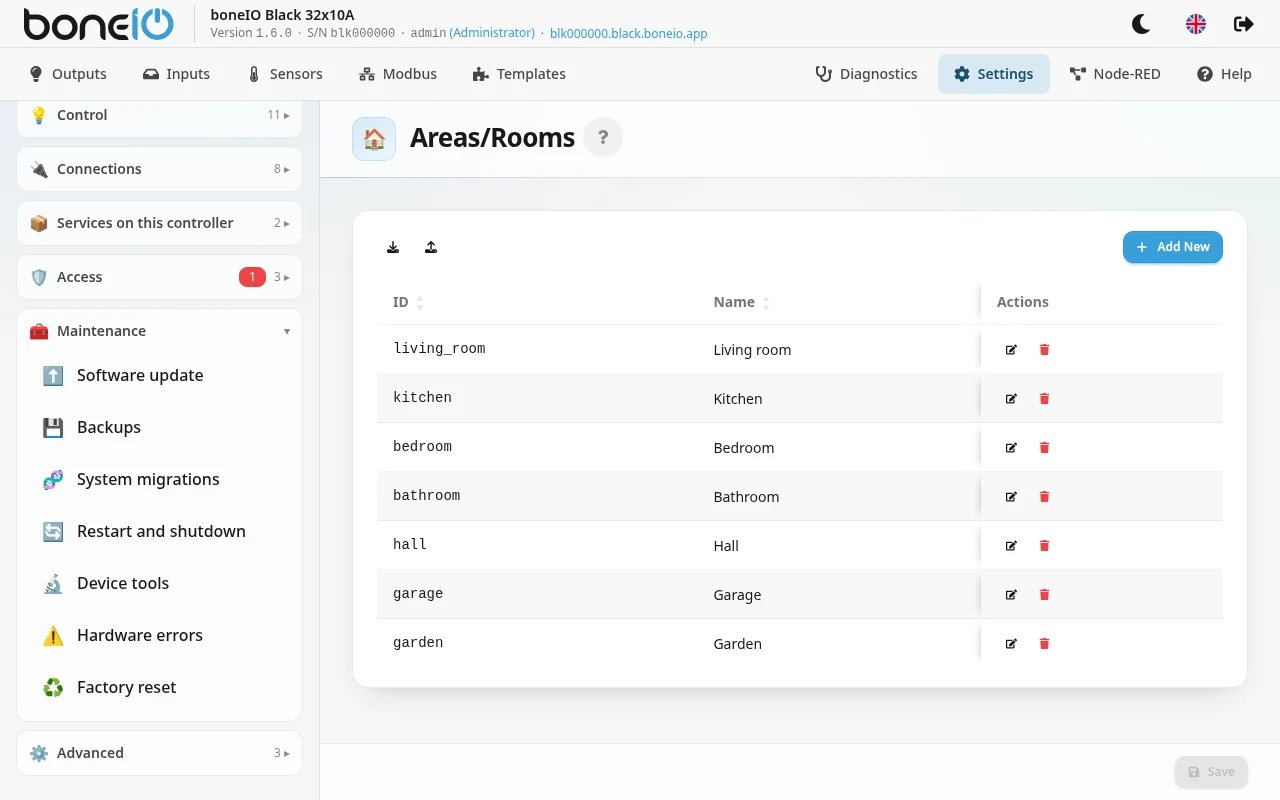
Settings in seven groups
Device, Control, Connections, Services on this controller, Access, Maintenance, Advanced — everything in one tree, with a search filter.
Diagnostics
The log, bus tools and a support bundle you can send us — passwords removed — instead of giving out SSH access.
Changing the MQTT password
Changing the broker password no longer makes the controller go offline — it updates its own configuration and reconnects.
Recovery mode
A mistake in the configuration no longer leaves the controller in a restart loop. A recovery panel shows the error and lets you fix it.
Does more on its own
Schedules
Run actions at a set time or with the sun — "close the covers 15 minutes after sunset". With run history, so you can see what happened.
Virtual switches
A switch with no relay behind it for modes such as "Away" or "Evening" that other actions can depend on.
Presence simulation
Four questions and your empty house looks lived in: lights coming on room by room in the evening.
Location
Tell the controller where it is — needed for everything that follows the sun.
Smaller improvements
- Faster start. After you change the configuration or update, it loads in about two seconds instead of more than half a minute.
- Time from your own network. A controller without internet can take the time from a server in your network (Settings → Device → Time zone → NTP servers) — important, because it has no battery clock.
- Clearer actions. Lists of actions are shown as one-line rows; less common fields are under More options.
- Restart badge. Settings that need a restart after saving are marked.
- Remote devices. A misbehaving ESPHome or WLED device no longer takes the whole controller down; ESPHome covers can be controlled.
- Hardware revision 1.1. New controllers (1.1) have a buzzer, available as an ordinary output. A factory reset restores the configuration for your controller's type and revision.
- System updates from the panel. Settings → Maintenance updates Debian packages and the kernel too, with an estimate of how long it takes. See System.
- On a phone. A bottom navigation bar on phones and tablets; outputs and inputs can be grouped by room.
- Modbus at a glance. A device that stops answering is marked; a picker with search and a Failing only filter.
- Diagnostics → Disk. What fills the controller's storage, and a button to free unused images and the package cache.
- Power cuts. After a cut the page says boneIO is starting… and opens the panel by itself; a damaged boot partition no longer stops the start.
- Home Assistant. Entities stay under their room's device, covers keep their type, and saving one section no longer removes others' entities.
Where did things move?
| In 1.5 | In 1.6 |
|---|---|
| System tab → update, available versions | Settings → Maintenance → Software update |
| System tab → backup | Settings → Maintenance → Backups |
| System tab → restart, shutdown | Settings → Maintenance → Restart and shutdown |
| System tab → hardware test, all outputs off | Settings → Maintenance → Device tools |
| System tab → MQTT passwords | Settings → Services on this controller → MQTT broker (local) |
| System tab → factory reset | Settings → Maintenance → Factory reset |
| Logs | Diagnostics |
| Tools (Modbus helper) | Diagnostics |
| YAML Editor tab | Settings → Advanced → YAML editor |
Old bookmarks still work: the System page opens Software update, Logs and Tools open Diagnostics, and the YAML editor tab opens Settings → Advanced → YAML editor.
Readable names instead of identifiers
Schedules and virtual switches can be written with a readable name: instead of an id: — the identifier is made from the name automatically:
Covers at dusk becomes covers_at_dusk. The panel does this for you when you create schedules and virtual switches.
Old configurations with id: keep working; you do not need to change anything.
Watch out
- Covers run into the endstop. A full open or close now runs about 10% longer (Endstop Overrun), with a 500 ms pause before reversing. This applies to your existing covers too. Motor without endstops? Set the overrun to 0 — Covers.
- The buzzer on 1.0 controllers. A 1.0 controller has no buzzer. A configuration that uses
boneio_output: buzzeron a controller set to version 1.0 no longer loads — remove that output, or set the right controller version if you have a 1.1 controller. - SSH and Docker. The
boneiouser is no longer in thedockergroup. If you managed containers by hand over SSH, usesudo. - Access without a password (
web.auth.allow_anonymous: true) exists only as an emergency option inconfig.yamland works only while no account exists. The panel shows a warning that cannot be dismissed. - The panel is for administrators to configure. A read-only account does not see Settings, Diagnostics or Node-RED.
The full list
Every change, fix and security detail: Release notes.