Maintenance
Updates, backups, restart, hardware test and factory reset
This was the System tab. Since 1.6 it is Settings → Maintenance, with
the broker passwords moved to Services on this controller. Links to
/system still work.
Everything here acts on the device immediately. Where something only takes effect after a restart, the page says so.
Software update
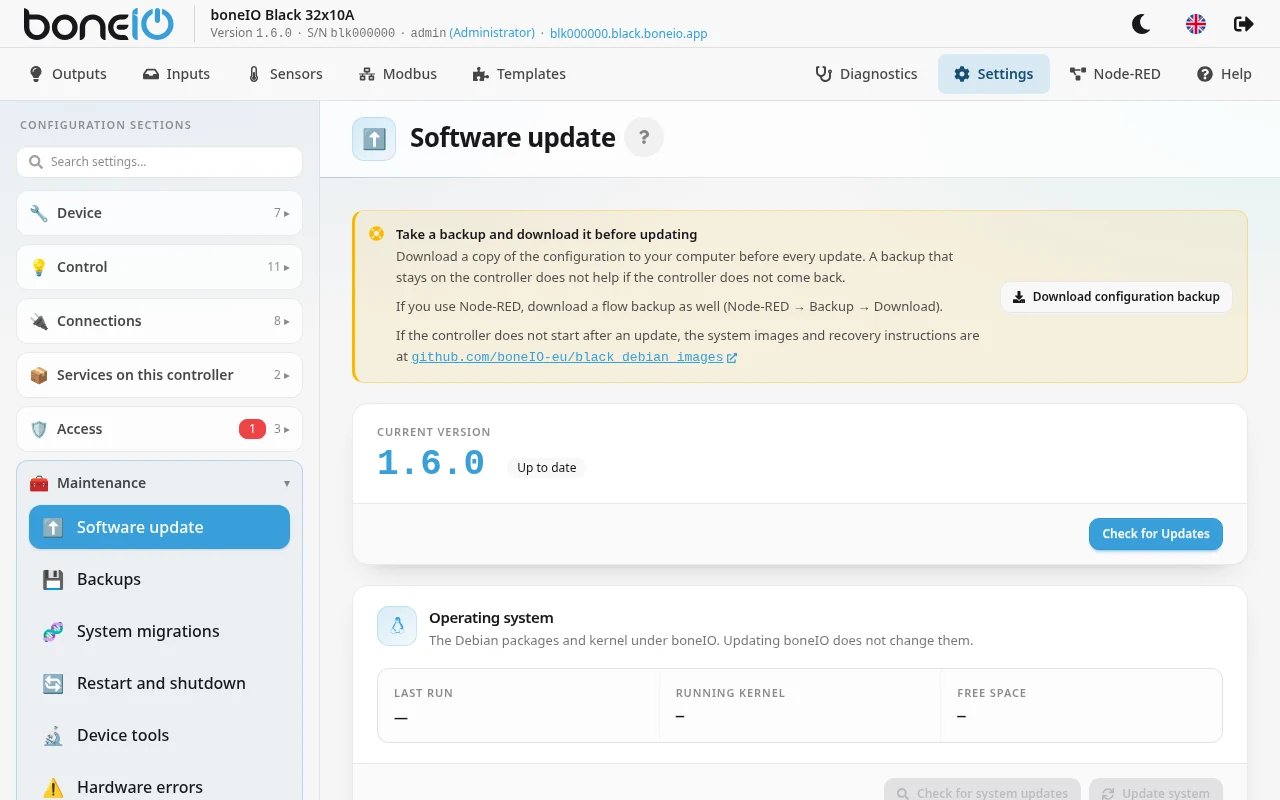
The update centre. When a new version is available its details are shown before you install anything.
Always read what a release changes before installing it.
The update does not back up your configuration — take a backup first (below). An earlier version can be installed from Available versions. Step by step: Update controller.
Operating system
Updating boneIO does not touch the Debian system underneath it. The Operating system card on the same page updates that — the Debian packages and the kernel.
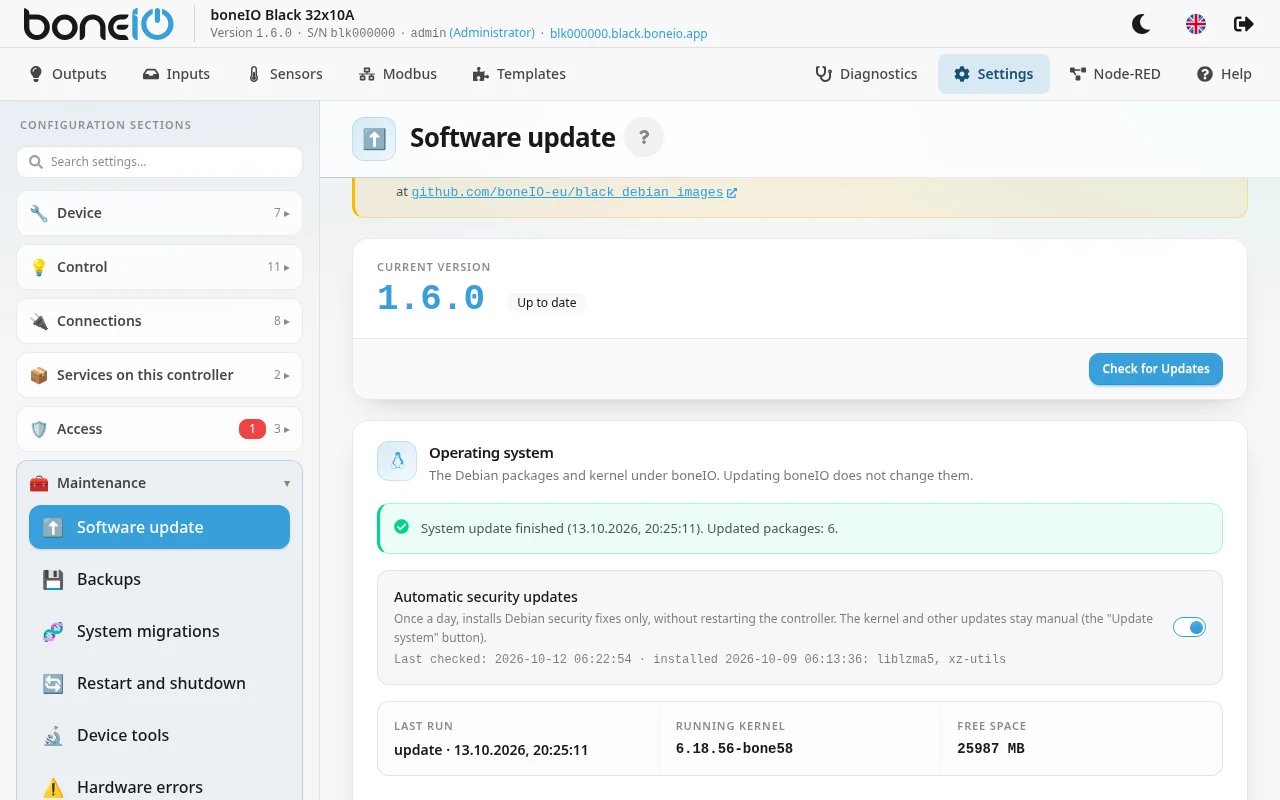
- Click Check for system updates. The card shows how many packages are waiting and how long installing them should take — roughly ten seconds per package, so a controller that has not been updated for a long time can take up to an hour. If a new kernel is among them, the card says so: the controller will need a restart at the end.
- Click Update system and confirm. The panel asks whether you have downloaded a configuration backup, and may ask for your password again.
- Leave the page open, or come back later. The card shows a live log while the update runs.
Do not cut the power while it runs. A power cut halfway through a package install leaves the system half-updated. If the controller has no backup power yet, see Backup power (UPS).
What it costs: the controller keeps working, and outputs and automations keep running. But as each service is updated, MQTT (Home Assistant), Node-RED, the HTTPS panel and SSH may drop for a moment. Plan it for a time when a short break does no harm.
It does not restart by itself. When it finishes the card shows a green System update finished notice with the number of updated packages. If the kernel or another component needs a restart, a Restart required notice with Restart now appears — do it when the controller can be down for a few minutes.
Short of space? The card checks first how much room this particular update needs. If packages that apt downloaded earlier are what is in the way, it says it will clear them first and goes ahead — apt downloads again only what it needs. If there is still not enough room, the card says how much is free and how much is needed; see Disk for what else can go.
Interrupted. If the controller restarted or lost power mid-update, the card says The system update was interrupted, with the step it stopped at. Do not restart the controller — click Update system again: it first finishes the interrupted package install, then the rest.
Do not restart the controller. If this notice appears after an update, the kernel the next boot would load is not ready. Leave the controller running and contact boneIO support.
Automatic security updates — the switch on the same card, on by default. Once a day it installs Debian security fixes only, never restarting the controller. The kernel and everything else stay manual.
Backups
Full backup of the configuration and restoration from an archive. Worth taking before any larger change — and it is what turns a failed controller into a replacement that is running in minutes.
System migrations
Some releases need changes outside the application — a systemd unit, a sudoers
rule, a file in /etc. Those are applied by migrations, which run on the first
start after an upgrade.
This section shows what has been applied and what is pending. On a controller with nothing to do it says so.
The first time, the migration helper needs to be installed, which asks once for your system password.
Restart and shutdown
Proper, safe restart and shutdown of the controller.
After shutting down, disconnect the power. The OLED shows "System stopped. Safe to unplug." once it is genuinely safe.
Device tools
Hardware test exercises every input and output so you can confirm the wiring — it switches each output in turn and waits for input events.
All outputs off turns everything off and clears the saved relay states.
Hardware errors
Faults detected on the I2C bus, on expanders and on sensors. A controller with no faults says so, rather than showing an empty page.
Factory reset
Puts the factory configuration back. The dialog starts from what this controller is — its type and its hardware version — so in most cases you only click Reset to Factory Defaults. Each hardware version gets its own configuration (a 1.1 controller keeps its buzzer, for example); change the selection only if the controller really is something else.
What happens:
- your current configuration files are backed up first, and can be restored from Configuration Backups on the same page,
secrets.yamlis kept, and so is boneIO's MQTT password; the other MQTT settings go back to factory values (the controller's own broker), so set the broker again if you use another one,- saved output states are cleared; your panel accounts stay,
- the panel may ask for your password again,
- the new configuration takes effect after a restart.