Templates
The page where you use thermostats, alarm panels, gates and irrigation day to day.
The Templates page is where you use your thermostats, alarm panels, gates and irrigation controllers from the controller's own panel — change the temperature, arm the alarm, open the gate, start watering. It works without Home Assistant.
Open it from Templates in the top menu. On a phone or tablet it is under More in the bottom bar.
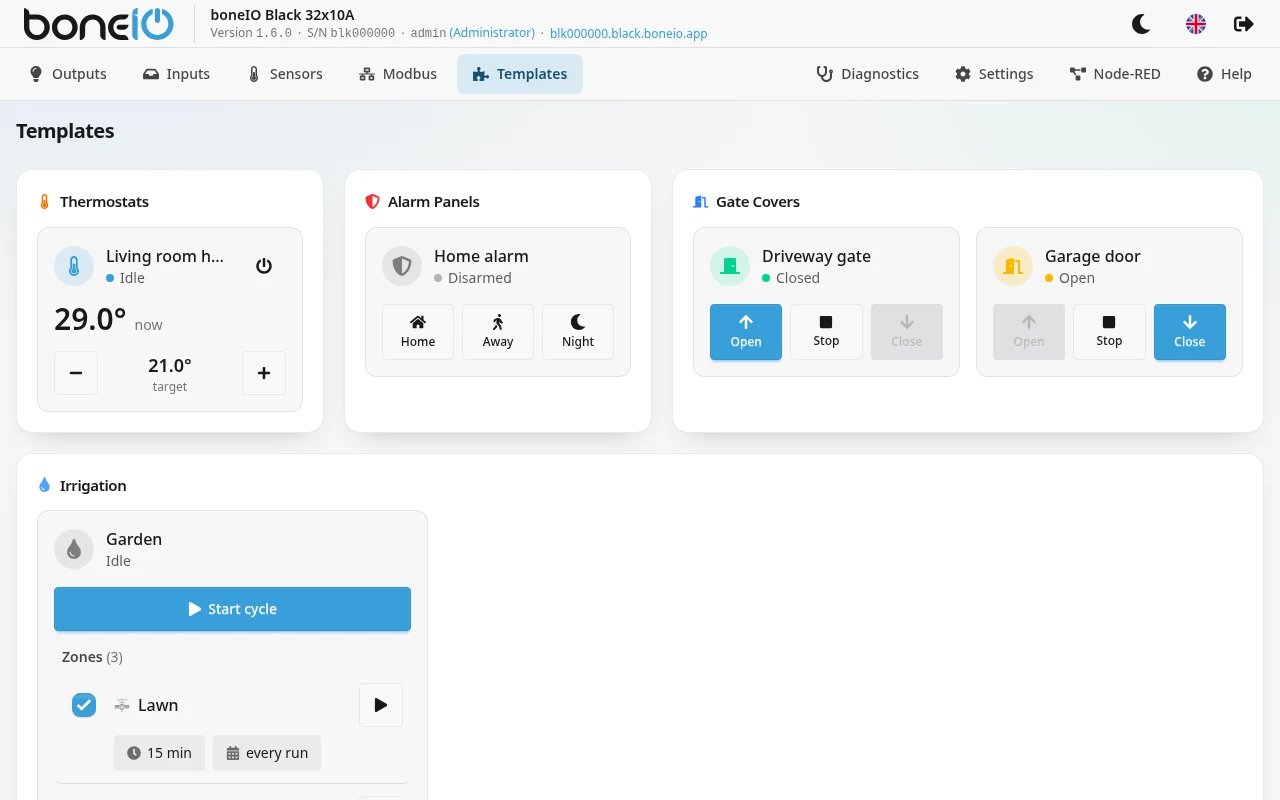
The page only shows what you have configured, grouped by kind: Thermostats, Alarm Panels, Gate Covers and Irrigation. Groups with few tiles share a row; irrigation always takes a full row. The tiles refresh by themselves every few seconds.
If nothing is configured yet, the page says so. Templates are created in Settings → Control → Templates — see Templates.
The tiles
Every tile shows the name, an icon and the state in words.
| Tile | Shows | Controls |
|---|---|---|
| Thermostat | Heating, Idle or Off; the current temperature (now) and the target | Arrows to change the target by 0.5 °C, a button to turn the thermostat off or back on |
| Alarm panel | Disarmed, Arming..., Armed Home, Armed Away, Armed Night, Pending... or TRIGGERED! | Home, Away, Night, Disarm — asks for a PIN (Enter PIN code) when one is needed |
| Gate | Open, Closed, Opening or Closing | Open, Stop, Close (in Open only mode, without Close). The button that undoes the current state is highlighted |
| Irrigation | Idle, Running or Paused, the countdown, the next run and the zones | Start cycle, Pause / Resume, Skip to next zone, Stop, per-zone start; Schedules and settings opens the schedules and cycle settings |
The alarm's buttons appear only when Allow Frontend Control is on in its settings. By default it is off and the tile says Frontend control disabled in config. — the alarm can then be armed and disarmed from Home Assistant only. Turn it on only if the panel is protected by a login.
What each template does, and what its settings mean, is on its own page: Thermostat, Alarm Panel, Gate Cover, Irrigation.
Going to a template's settings
Press and hold a tile. A window asks whether to go to the settings; Go to Settings opens that template's form in Settings → Control → Templates.
This only works for an account with the Administrator role. For a Read-only account a long press does nothing, because it could not open the settings anyway.