Templates
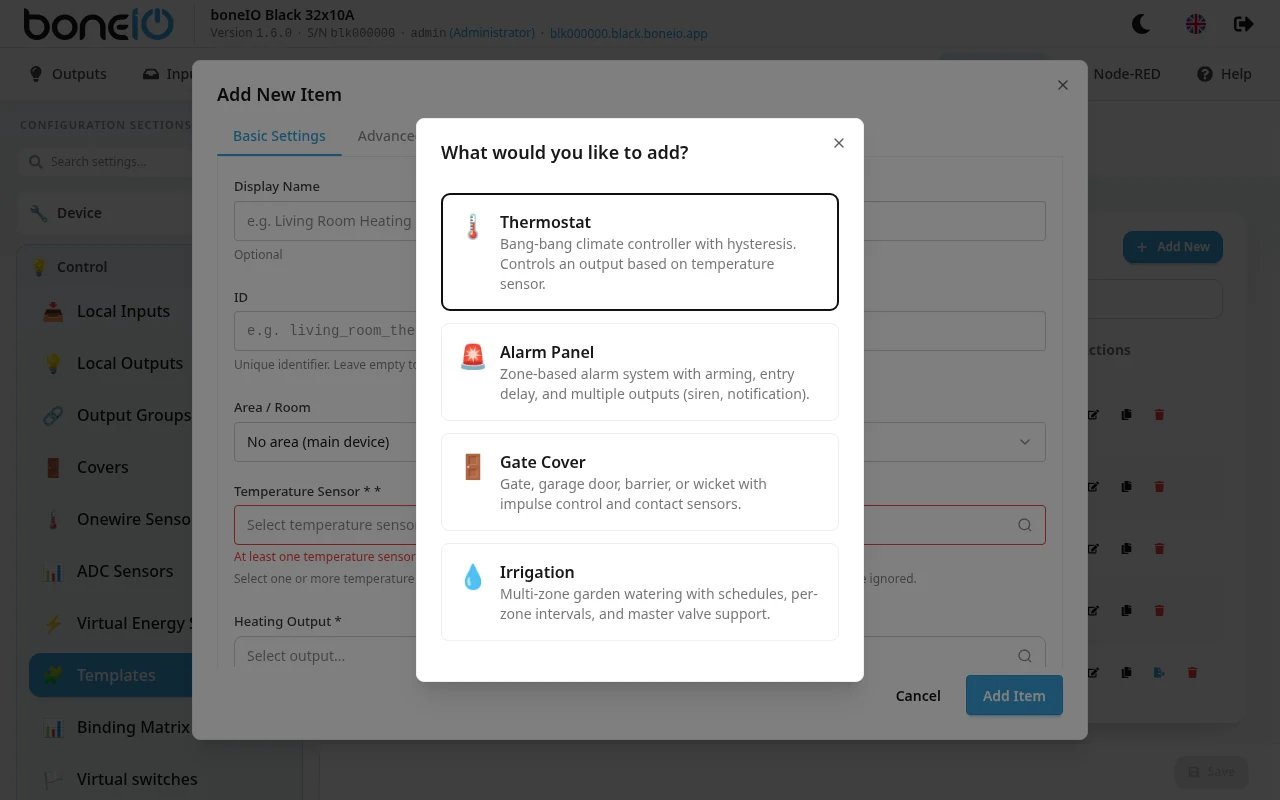
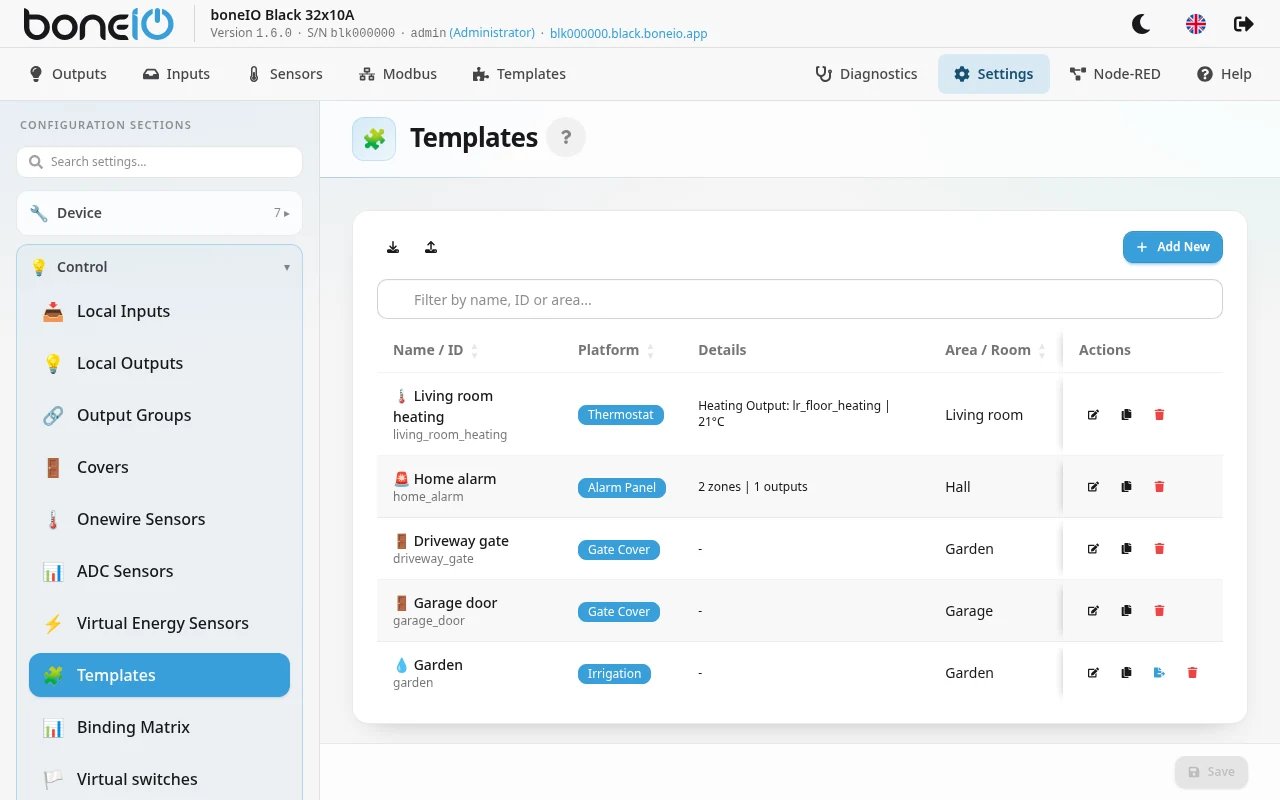
Templates are composite virtual entities that combine existing boneIO primitives (inputs, outputs, sensors) into higher-level Home Assistant entities. Currently available platforms:
- Thermostat (
thermostat) —climateentity in Home Assistant - Alarm Panel (
alarm_control_panel) —alarm_control_panelentity in Home Assistant
Templates are automatically discovered by Home Assistant via MQTT autodiscovery.
Web Application Configuration
Recommended configuration method.
Adding a Template
| Option | Description |
|---|---|
| Platform | Template type: thermostat or alarm_control_panel. |
| ID | Unique template identifier. Auto-generated from name. |
| Name | Display name in Home Assistant. |
| Area/Room | Area assignment for HA device grouping. |
Thermostat
The thermostat combines a temperature sensor with a relay output to control heating. It uses hysteresis — turns heating on when temperature drops below target - hysteresis and off when it exceeds target + hysteresis.
Exposed to Home Assistant as climate entity with heat and off modes.
Basic Thermostat Settings
| Option | Description |
|---|---|
| Temperature Sensor | Temperature sensor ID used for current temperature reading. |
| Heating Output | Output (relay) ID controlling the heating element. |
| Initial Mode | Mode after restart: heat or off. |
| Target Temperature | Initial target temperature in °C. |
Advanced Thermostat Settings
| Option | Description |
|---|---|
| Hysteresis | Temperature hysteresis in °C. Default 0.5°C. Prevents frequent relay switching. |
| Min Temperature | Minimum settable temperature. Default 5°C. |
| Max Temperature | Maximum settable temperature. Default 35°C. |
| Sensor List | Optional list of multiple temperature sensors — average of available readings is used. |
YAML Configuration Example — Thermostat
template:
- id: thermostat_living_room
name: Living Room Thermostat
platform: thermostat
sensor_id: temp_living_room
output_id: OUT_01
target_temperature: 21.0
area: living_roomtemplate:
- id: thermostat_bedroom
name: Bedroom Thermostat
platform: thermostat
sensor_ids:
- temp_bedroom_1
- temp_bedroom_2
output_id: OUT_02
target_temperature: 20.0
hysteresis: 1.0
min_temperature: 15.0
max_temperature: 30.0
mode: heat
area: bedroomConfiguration Variables — Thermostat
- id (Optional, string) — Unique template identifier. Auto-generated if not provided.
- name (Optional, string) — Display name in Home Assistant. Uses ID if not set.
- platform (Required, string) — Must be set to
thermostat. - sensor_id (Optional, string) — Primary temperature sensor ID. Required if
sensor_idsis not set. - sensor_ids (Optional, list of strings) — List of temperature sensor IDs. Average of available readings is used. Alternative to
sensor_id. - output_id (Required, string) — Output (relay) ID controlling the heating element.
- mode (Optional, string, allowed:
['heat', 'off'], default:heat) — Initial climate mode. - target_temperature (Optional, float, default:
21.0) — Initial target temperature in °C. - hysteresis (Optional, float, default:
0.5) — Temperature hysteresis in °C. - min_temperature (Optional, float, default:
5.0) — Minimum settable temperature. - max_temperature (Optional, float, default:
35.0) — Maximum settable temperature. - area (Optional, string) — Area ID reference for HA device grouping.
Alarm Panel
Zone-based alarm system with state machine. Monitors input zones, manages arm/disarm states with timers, and controls output devices (siren, notification, light) on trigger.
Exposed to Home Assistant as alarm_control_panel with PIN code support.
Concepts
Zones
A zone groups controller inputs and defines which arm modes activate it. Each zone can optionally use entry delay — giving time to disarm before triggering.
Each zone input can be configured as:
- NC (Normally Closed) — triggers on circuit open
- NO (Normally Open) — triggers on circuit close
Arm Modes
- armed_away — Full arming, all configured zones active
- armed_home — Home arming, only zones assigned to this mode active
- armed_night — Night arming, only zones assigned to this mode active
Arming Block
The panel automatically blocks arming if any inputs in active zones are in triggered state.
Timers
| Timer | Default | Description |
|---|---|---|
| Arming Time | 30s | Wait time after arm command before alarm becomes armed. |
| Entry Delay | 30s | Time after zone trigger before alarm enters triggered state. |
| Trigger Time | 5min | Duration alarm stays triggered before auto-disarm. |
Alarm Outputs
| Type | Description |
|---|---|
siren | Alarm siren |
notification | Notification |
light | Lighting (e.g. flashing light) |
custom | Custom output |
PIN Codes
List of PIN codes with user names. Codes are used for arming/disarming. User name is logged — enables identification of who disarmed. Optionally, code can be required for arming too (code_arm_required).
YAML Configuration Example — Alarm Panel
template:
- id: home_alarm
name: Home Alarm
platform: alarm_control_panel
arming_time: 30s
delay_time: 30s
trigger_time: 5min
code_arm_required: false
codes:
- name: John
code: "1234"
- name: Anna
code: "5678"
zones:
- name: Entry Zone
inputs:
- id: IN_01
type: normally_closed
- id: IN_02
type: normally_closed
arm_modes:
- armed_away
- armed_home
- armed_night
entry_delay: true
- name: Window Zone
inputs:
- id: IN_03
type: normally_closed
- id: IN_04
type: normally_open
arm_modes:
- armed_away
- armed_night
entry_delay: false
outputs:
- id: OUT_05
type: siren
- id: OUT_06
type: light
area: homeConfiguration Variables — Alarm Panel
- id (Optional, string) — Unique alarm panel identifier.
- name (Optional, string) — Display name in Home Assistant.
- platform (Required, string) — Must be set to
alarm_control_panel. - codes (Optional, list) — List of PIN codes with user names.
- name (Required, string) — User name (used in logs).
- code (Required, string) — Numeric PIN code.
- code_arm_required (Optional, boolean, default:
false) — Whether code is required for arming. - arming_time (Optional, timeperiod) — Wait time after arm command. Example:
30s. - delay_time (Optional, timeperiod) — Entry delay before triggering. Example:
30s. - trigger_time (Optional, timeperiod) — Duration alarm stays triggered. Example:
5min. - zones (Optional, list) — List of alarm zones.
- name (Required, string) — Zone name.
- inputs (Optional, list) — Zone inputs.
- id (Required, string) — Controller input ID.
- type (Optional, string, allowed:
['normally_closed', 'normally_open'], default:normally_closed) — Input circuit type (NC/NO).
- arm_modes (Optional, list, allowed:
['armed_away', 'armed_home', 'armed_night']) — Active arm modes. - entry_delay (Optional, boolean, default:
false) — Whether zone uses entry delay.
- outputs (Optional, list) — Outputs activated on alarm trigger.
- id (Required, string) — Output (relay) ID.
- type (Optional, string, allowed:
['siren', 'notification', 'light', 'custom'], default:siren) — Alarm output type.
- area (Optional, string) — Area ID reference for HA device grouping.