Logger
How much detail boneIO Black writes to its log, overall and per module.
The Logger decides how much boneIO Black writes to its log, which you read in Diagnostics. The default level is INFO: normal operation, warnings and errors. Change it when you are chasing a problem that the log does not explain, or when one part of the controller writes more than you want to read.
Open Settings → Advanced → Logger. Changes apply without a restart.
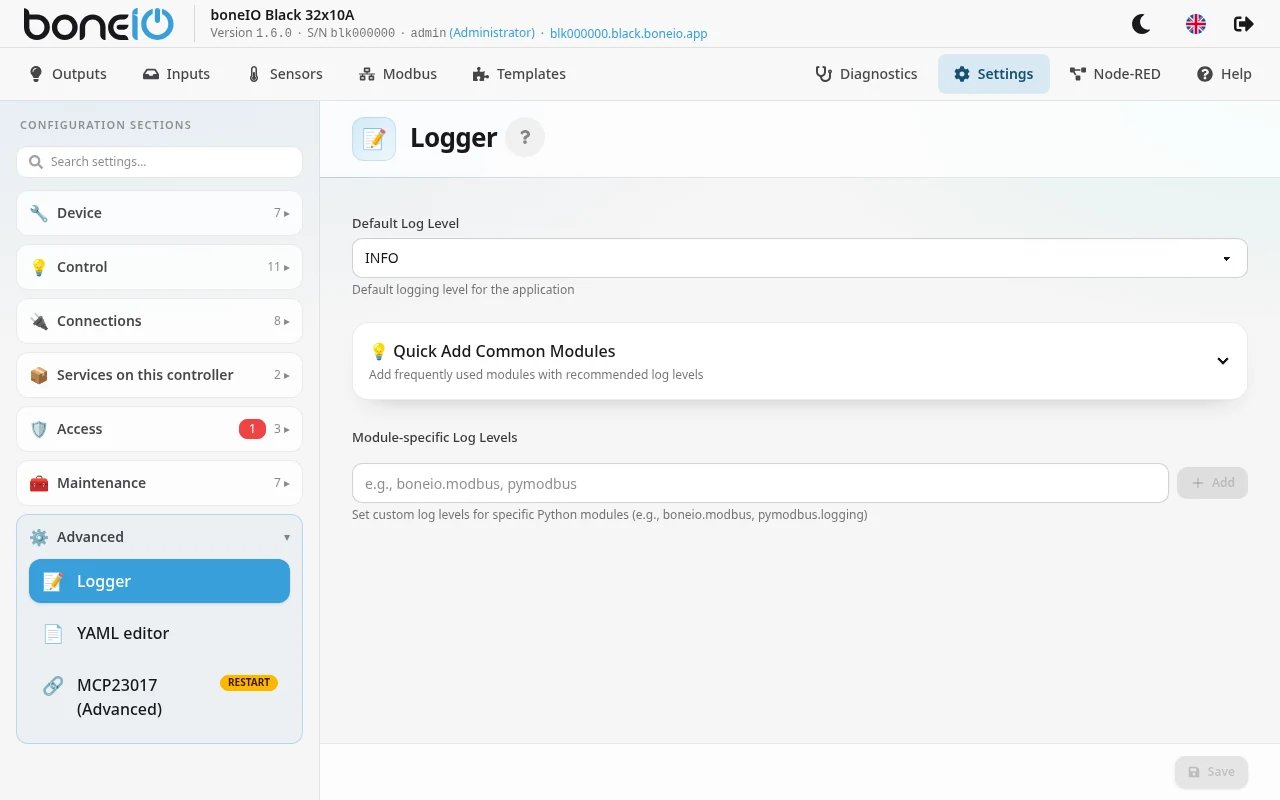
The fields
| Field | What it does |
|---|---|
| Default Log Level | The level for the whole application: DEBUG, INFO, WARNING, ERROR or CRITICAL. Each level writes its own messages and everything more serious. INFO if not set. |
| Quick Add Common Modules | A list of modules with a suggested level. Add puts one into the list below; a module already there shows Added. |
| Module-specific Log Levels | Modules that get their own level, different from the default. Type the module name in the field, for example boneio.modbus, and click Add. A new module starts at INFO; pick its level in the drop-down. The bin (Remove module) takes it off the list. |
Click Save at the bottom of the section.
A module name covers everything below it: boneio.modbus also sets boneio.modbus.client. Take the names from the module filter in Diagnostics, which lists the modules that actually write to the log.
DEBUG writes a great deal: an idle controller logs around twenty MQTT messages a second. Left on, it fills the journal and pushes out the history you will want later. Set it for one module rather than as the default, and set it back when you are done.
Removing a module from the list takes full effect after the next restart of the boneIO app. Until then, that module keeps the level it had.
Adding any pymodbus module also shows pymodbus's own messages about Modbus devices that do not answer. boneIO normally hides them, because it reports those devices itself with their address.
Logger and the capture window
For a one-off look, you usually do not need the Logger at all. Support → Open a capture window in Diagnostics raises the default level to DEBUG for the minutes you choose and then puts it back by itself. The Logger is for what the controller records from now on.
The two work together like this:
- The capture window raises only the default level. A module you gave its own level in Module-specific Log Levels keeps it: set to
WARNING, it stays quiet during the capture too. - Saving the Logger while a capture window is open puts the default level back to what the Logger says, which ends the extra detail early. Change the Logger before or after a capture, not during it.