Location
Tell the controller where it is, so it knows when the sun rises and sets.
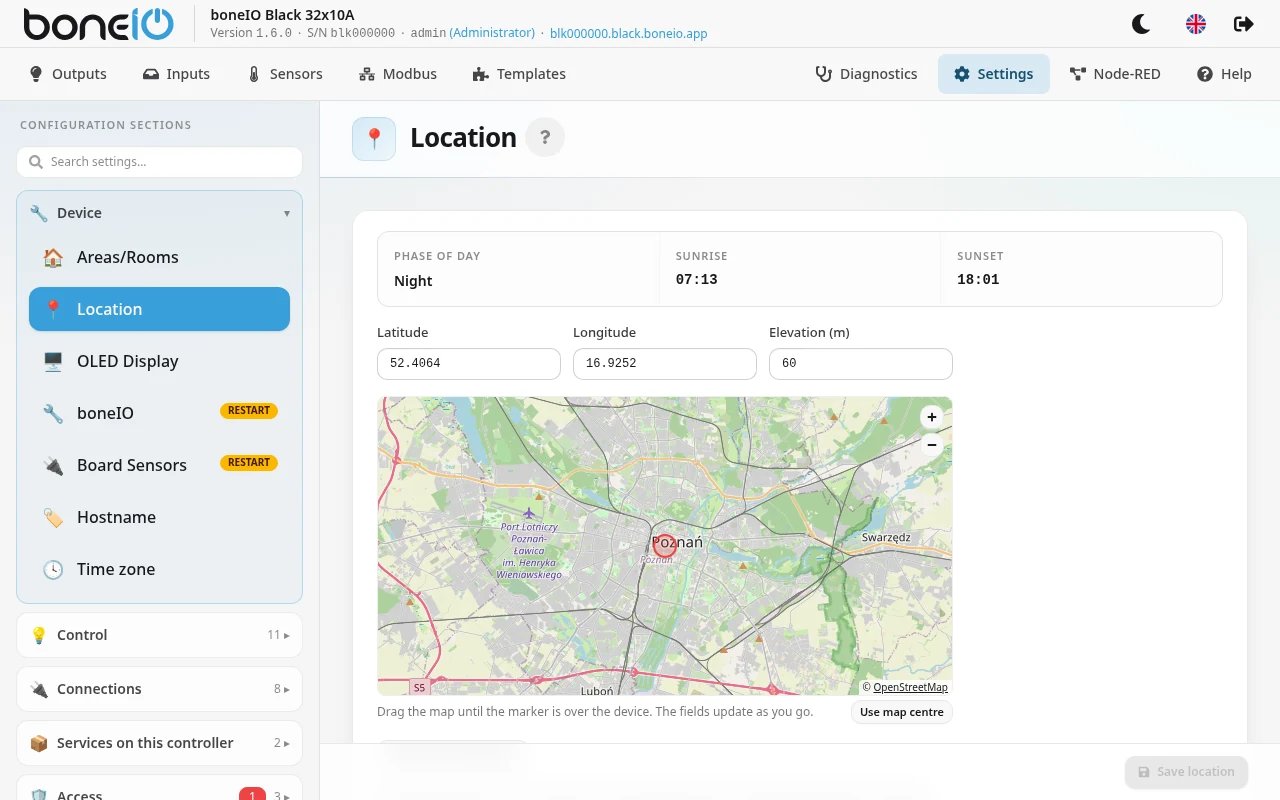
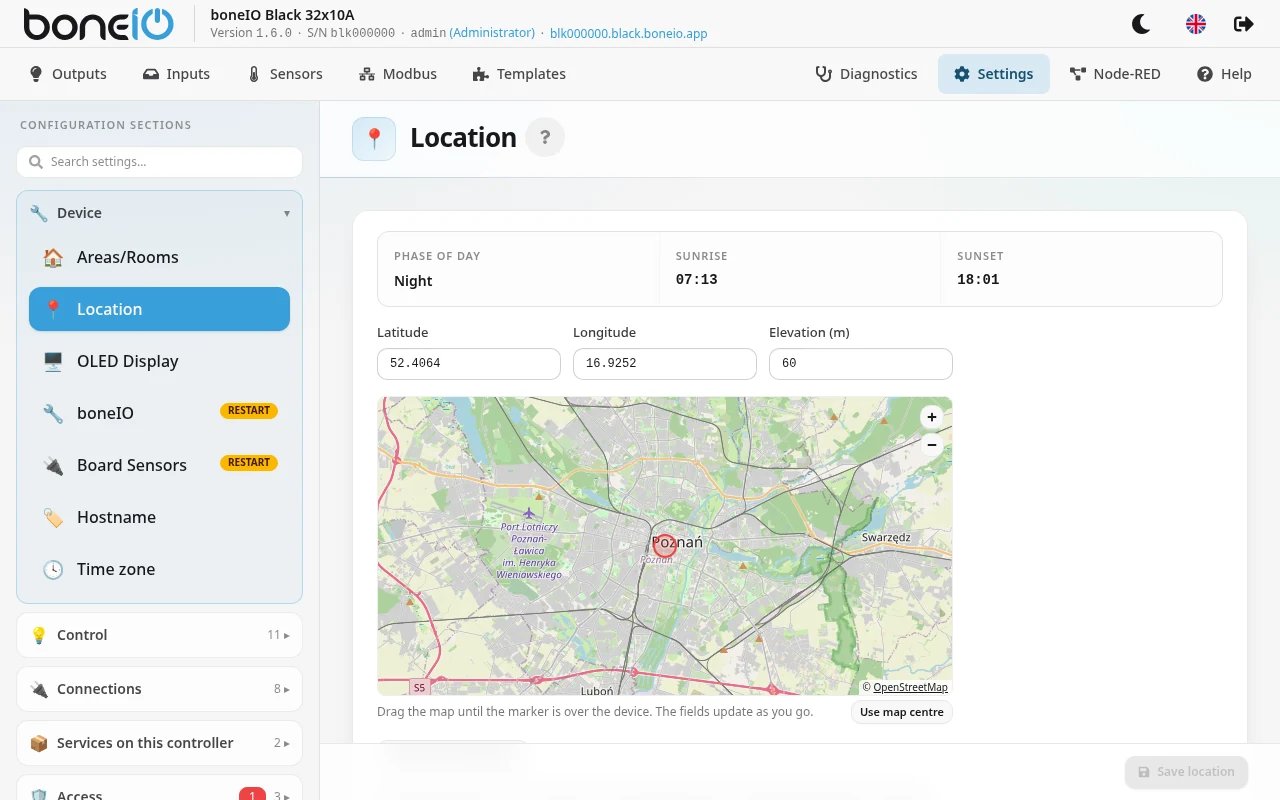
Since version 1.6 the controller can act on the sun — close the covers at sunset, turn on a light at dusk. For that it has to know where it is. You set that once, in Settings → Device → Location.
Nothing sun-related works without a location: sun options in schedules and conditions are greyed out with the note needs a location.
Setting the location
- Open Settings → Device → Location
- Fill in Latitude and Longitude — either
- click Fill from timezone to use your timezone's capital city (usually within a quarter of an hour of sunrise; for less common zones the fields stay empty), or
- type the coordinates of your house (for example copied from a map app on your phone), or
- pick the point on the map, if the map is switched on (see below)
- Optionally fill in Elevation (m) above sea level
- Click Save location
The change applies immediately, without a restart. Below the form the page shows Sun times for today and the current position of the sun — a quick way to check that you did not swap latitude and longitude.
Four decimal places (about 11 m) are more than enough. The coordinates are stored in the configuration and in configuration backups.
Picking the location on a map
The page can show an OpenStreetMap map — you drag it until the marker is over your house; the coordinates follow the marker (or click Use map centre).
The map is off by default, because it lets the panel load map images from the internet. To switch it on, open Settings → Access → Web Server, turn on Show a map on the Location page,
save and restart boneIO (in YAML it is web.security.map_tiles: true) — until the restart the map shows but its images do not load. Then pick the point and click Save location.
The map images are downloaded by your browser, not by the controller, so this works even when the controller itself has no internet. OpenStreetMap sees which area you are looking at.
The clock must be right
The controller has no battery-backed clock. After a power cut it does not know the time until it reaches a time server (NTP) on the internet.
Until then the page says The device clock has not been set yet and sun-based schedules wait.
If your controller has no internet access, point it at a time server in your own network: Settings → Device → Time zone → NTP servers → Custom servers, type for example your router's address (192.168.1.1) and click Save NTP servers.
In Home Assistant
With a location set, the controller publishes a few sun entities: sun elevation and azimuth, the phase of the day (day, twilight, night), whether the sun is above the horizon, and the next sunrise and sunset.