Local Outputs
The controller's own relays and outputs — what each one is, how it shows up in Home Assistant, timers and interlocks.
Local Outputs are the relays and other outputs built into this controller. For each one you choose what it drives — a light, a switch, a valve, a cover motor — and that decides how it appears in Home Assistant.
Outputs of other devices (ESPHome, WLED, another boneIO) are set up separately, under Remote Outputs.
Adding or editing an output
- Open Settings → Control → Local Outputs
- Click Add New (or the edit icon next to an output)
- Fill in the two tabs and save
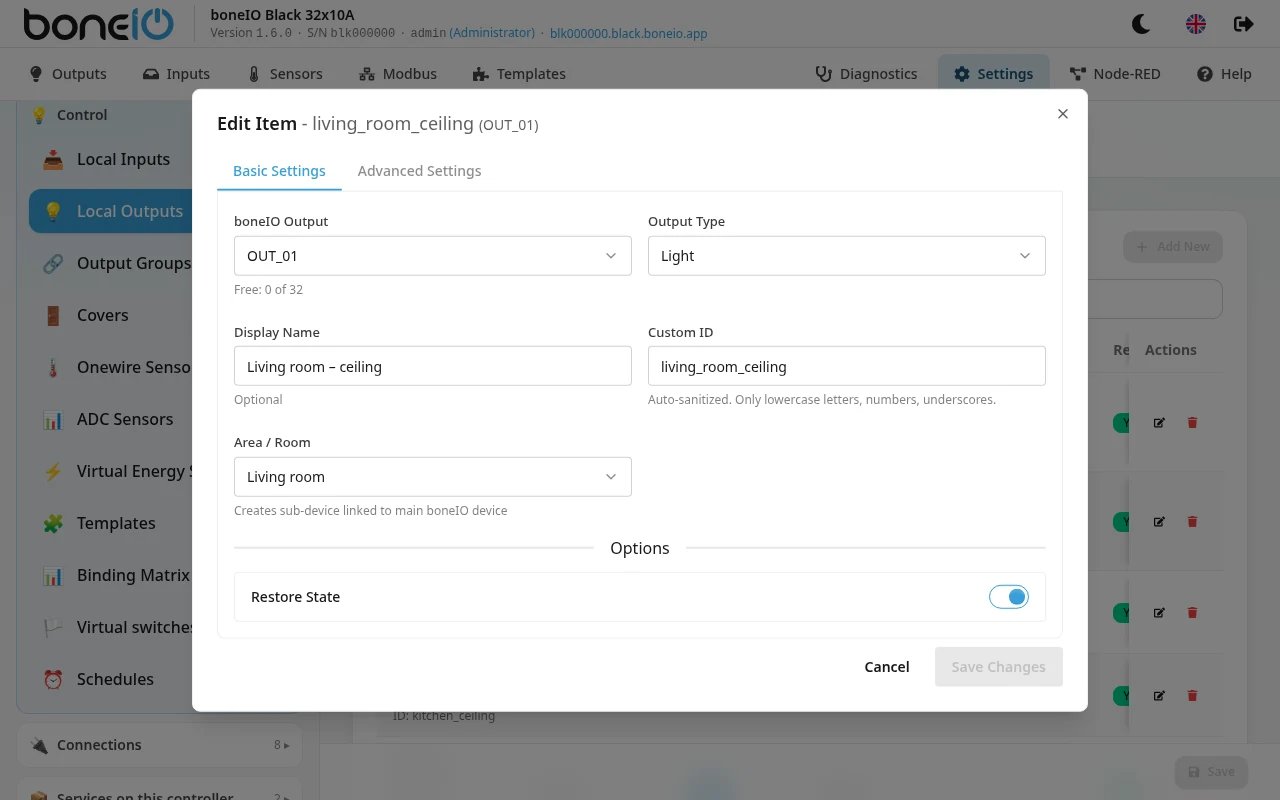
Basic Settings
| Field | What it does |
|---|---|
| boneIO Output | The physical output, e.g. OUT_01. Outputs already in use are listed under the field as Used. |
| Output Type | What the output drives — see the table below. |
| Display Name | Name shown in the panel, MQTT and Home Assistant. Optional. |
| Custom ID | Optional. Leave it empty to use the output (e.g. out_01) as the ID. Only lowercase letters, numbers and underscores. |
| Area / Room | Puts the output into an area, which becomes a sub-device in Home Assistant. |
| Restore State (under Options) | After a restart the relay comes back in the state it had. On by default. |
| Output Type | Use it for | In Home Assistant |
|---|---|---|
| Switch | sockets, pumps, anything on/off | a switch |
| Light | lights | a light |
| Valve | water valves, irrigation | a valve |
| Cover | one motor direction of a cover | not shown — the cover is |
| None | an output used only inside the controller | not shown, not published to MQTT |
An output used by a cover cannot be edited here — the form says which cover uses it. Remove it from the cover first. An output of type Cover cannot be put into an output group.
Advanced Settings
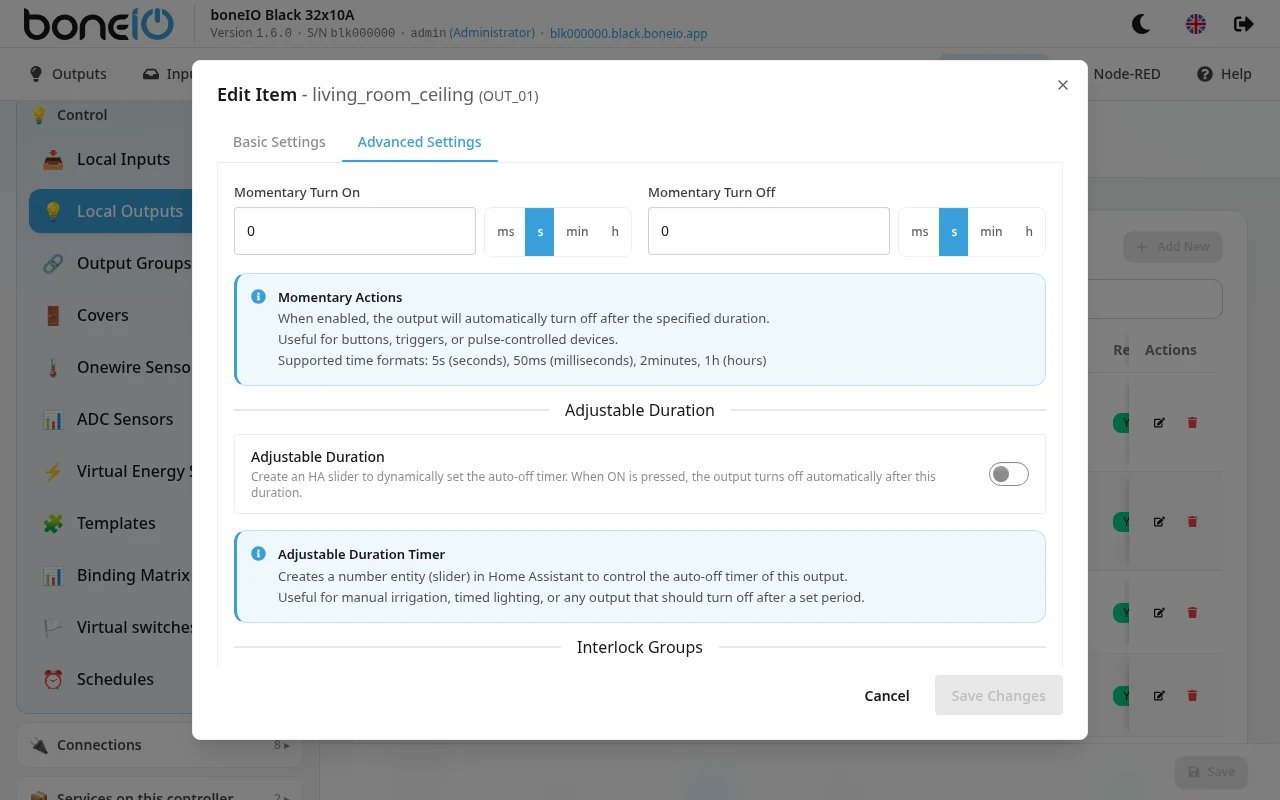
| Field | What it does |
|---|---|
| Momentary Turn On | After switching on, the output switches itself off after this time, e.g. 500ms, 5s, 20min. For door strikes, gate pulses. |
| Momentary Turn Off | After switching off, the output switches itself on again after this time. |
| Adjustable Duration | Adds a slider in Home Assistant that sets how long the output stays on before it switches itself off. Set Default Duration (60s if empty), Minimum Duration (1s), Maximum Duration (1h) and the HA Slider Unit (seconds or minutes). Cannot be used together with Momentary Turn On — clear that first. |
| Interlock Group | Outputs in the same group cannot be on at the same time — for example heating and cooling. Choose an existing group or type a new name. |
Timers and interlock are not available for type Cover — the cover takes care of that.
Buzzer
On hardware revision 1.1 the buzzer is an output too: boneio_output: buzzer. Revision 1.0 has no buzzer fitted, and a configuration that names it is refused when it is loaded.