Virtual switches
An on/off switch with no relay behind it — for modes like "Away" or "Evening".
A virtual switch is a switch that does not switch anything by itself. It just remembers on or off. You use it to describe a mode of the house — Away, Evening, Guests — and let other things depend on it:
- a button turns on the hall light only when "Evening" is on,
- a schedule runs the presence simulation only when "Away" is on,
- turning "Away" on can switch everything off at once.
You flip it in Home Assistant, on the controller's Outputs page, from a button or from a schedule. The controller keeps the state itself — it does not forget it when Home Assistant or the network is down, or after a restart.
Creating one
- Open Settings → Control → Virtual switches and add a new one
- Type a Name, e.g. Away — the identifier is made from it (
away) - Optionally add actions:
- On turn on — what to do when the switch goes on (e.g. turn off all lights),
- On turn off — what to do when it goes off (e.g. put back what "on" changed)
- Save
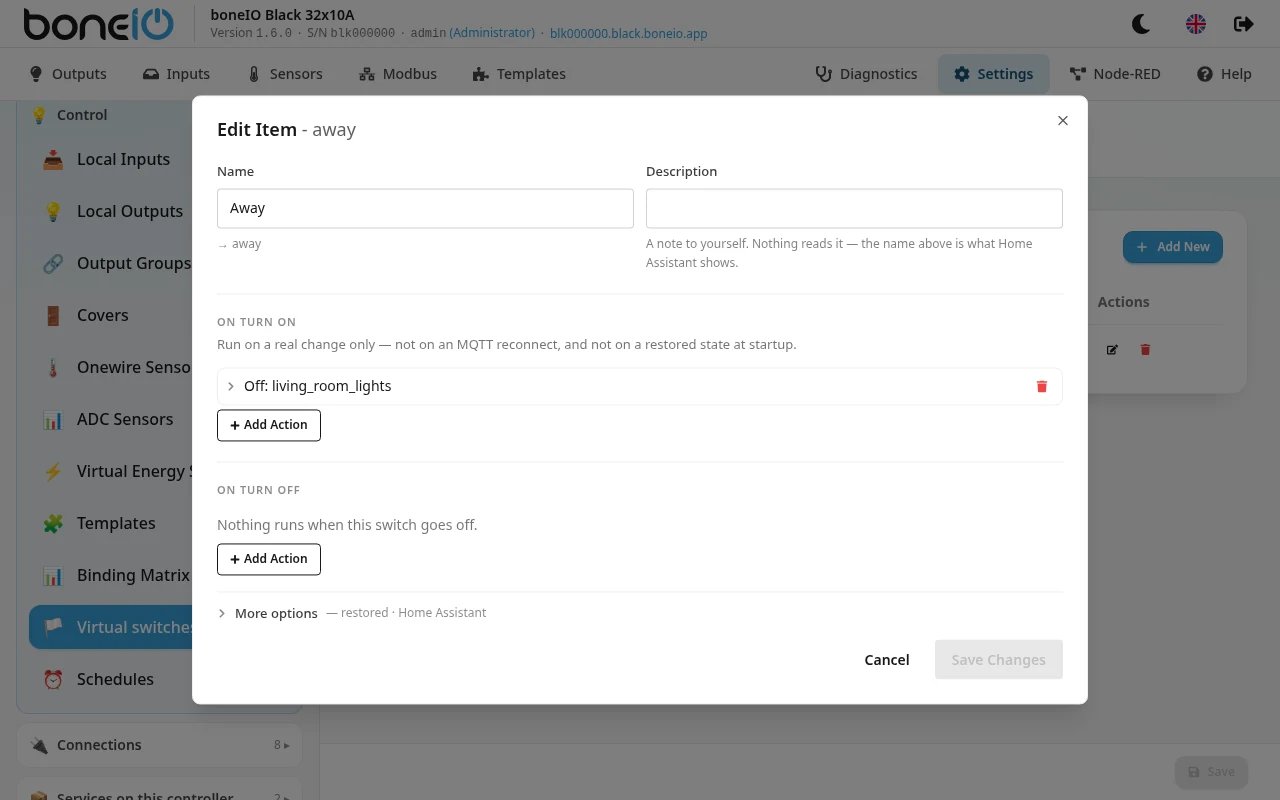
Under More options you will find:
- Remember across restarts (on by default) — after a power cut the switch comes back in the state it had,
- Start on — available when Remember across restarts is off: the switch then comes up in this state after every restart,
- Show in Home Assistant (on by default), the icon and the area.
The actions of a virtual switch run only when someone changes it — not when the controller starts up and restores the state, and not when the network reconnects. Coming back from a power cut never "replays" a mode.
Using it
In a condition. In any action (of a button or a schedule) add a condition state of virtual switch "Away" is on. The action then runs only in that mode.
From a button. A button action can set a virtual switch — ON, OFF or TOGGLE — for example a long press on the button by the door arms "Away".
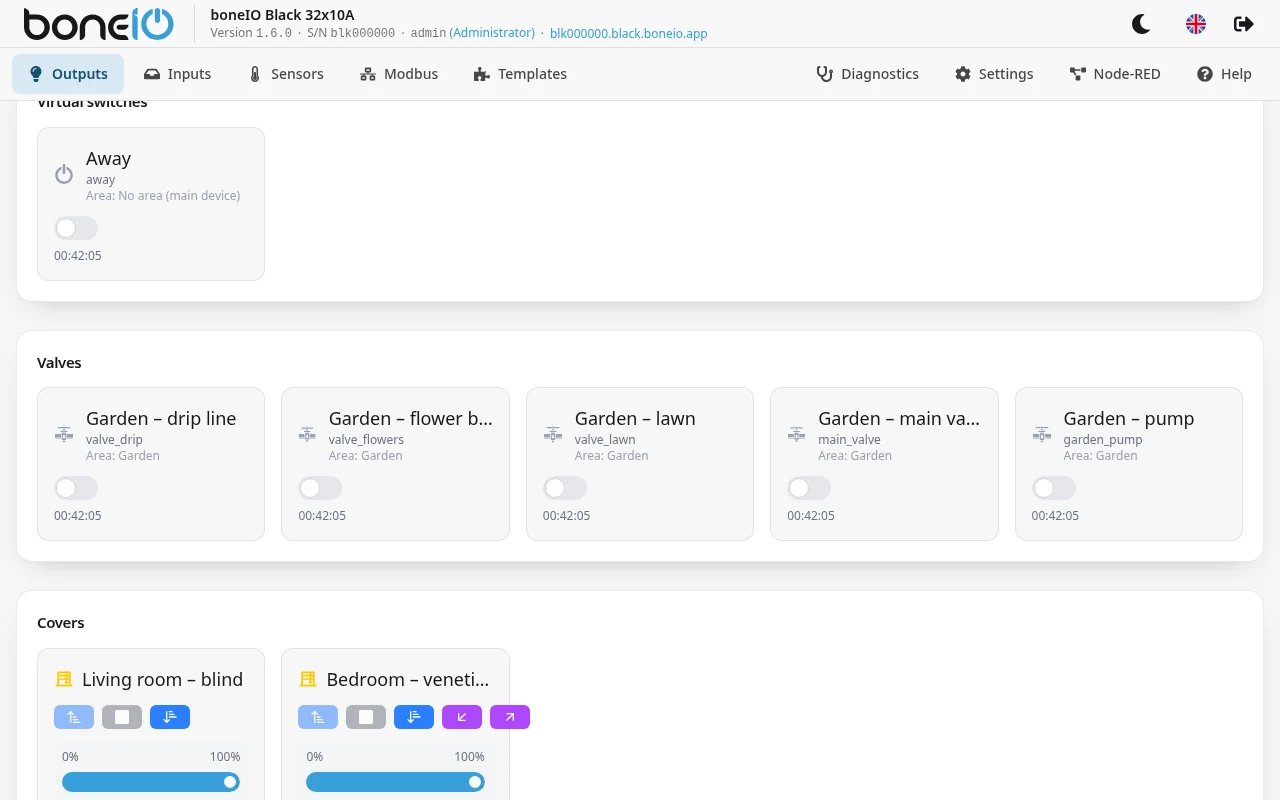
Day-to-day. On the Outputs page virtual switches have their own group with a toggle, so you do not need to go to Settings.
In Home Assistant
Each virtual switch is a regular switch in Home Assistant — you can put it on a dashboard or use it in automations.
Renaming
Because the identifier is made from the name, renaming a switch changes its identifier: the old Home Assistant entity becomes unavailable,
the switch starts off, and conditions pointing at the old name stop matching. If you expect to rename it, give it a fixed id: in YAML (see below).
A condition that names a virtual switch that does not exist stops the configuration from loading — with the name quoted, so a typo is caught right away instead of the action quietly running when it should not.