Covers
Setting up roller blinds and venetian blinds driven by two relays.
A cover is a roller blind, a shutter or a venetian blind driven by two relays: one moves it up, the other down. The controller knows where the cover is by counting how long each relay has been on, so it needs to know how long a full opening and a full closing take. Covers work on the Cover and Cover Mix models and on an ordinary relay board.
Open Settings → Control → Covers. The list shows each cover with its type, times and area. Changes apply without a restart.
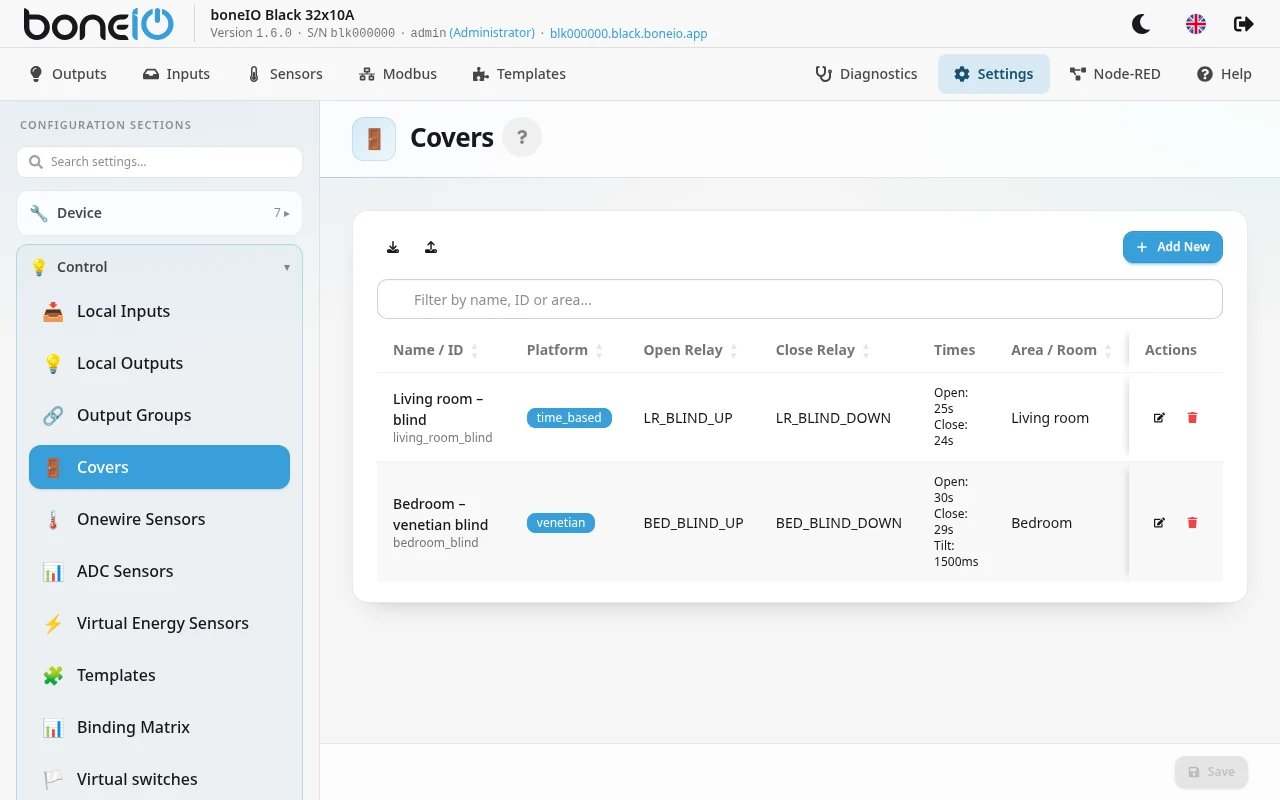
Adding a cover
Basic Settings
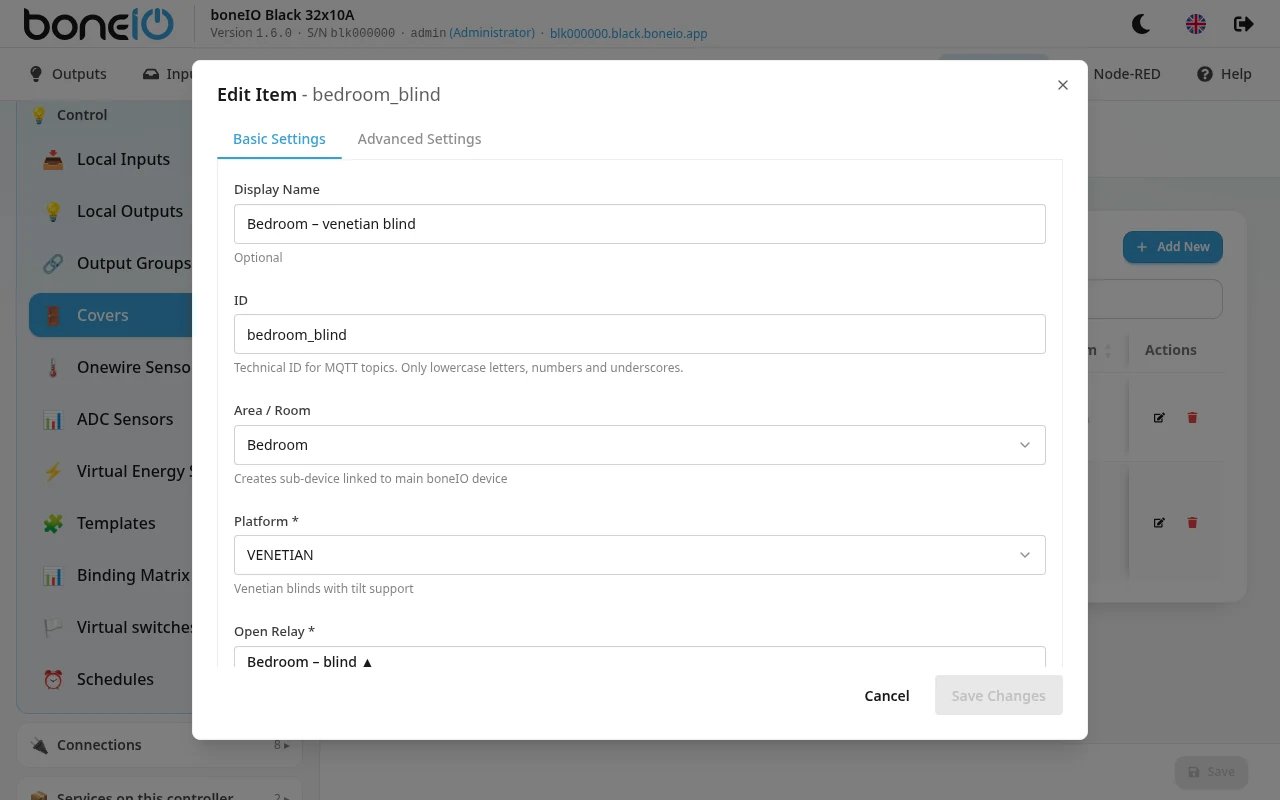
| Field | What it does |
|---|---|
| Display Name | Name shown in the panel and in Home Assistant. Optional: without it, the ID is used. |
| ID | Technical ID for MQTT topics and actions: lower-case letters, digits and underscores only. Optional: without it, the panel shows what it will be, for example cover_out_31_out_32. |
| Area / Room | The area the cover belongs to. |
| Platform | TIME_BASED: an ordinary roller blind that goes up and down. VENETIAN: a venetian blind whose slats also tilt. Required. |
| Open Relay | The output that moves the cover up. Required. |
| Close Relay | The output that moves the cover down. Required. |
| Open Time | How long a full opening takes. At least 1 s. Required. |
| Close Time | How long a full closing takes. At least 1 s. Required. |
| Actuator Activation Duration | How long the motor takes to start after its relay switches on. This time is added to every movement. Leave 0ms (the default) if the motor starts at once; some drives that ignore short pulses (e.g. Somfy J4 WT) need about 200ms, otherwise a small tilt step does nothing. Up to 5 s. |
Only outputs whose type is cover or none are offered as relays. The output type is set in Local Outputs.
Measure the times with a stopwatch, from fully closed to fully open and back. If they are too short, the cover stops before it reaches the end; if too long, the position shown drifts.
For VENETIAN there are two more fields:
| Field | What it does |
|---|---|
| Tilt Duration | How long the slats take to turn from fully closed to fully open. Required for VENETIAN, at least 10 ms. |
| Restore Tilt After Movement | After the blind moves to a position in between, the slats return to the angle they had before. Not when the blind ends fully open or fully closed. Off by default. |
Advanced Settings
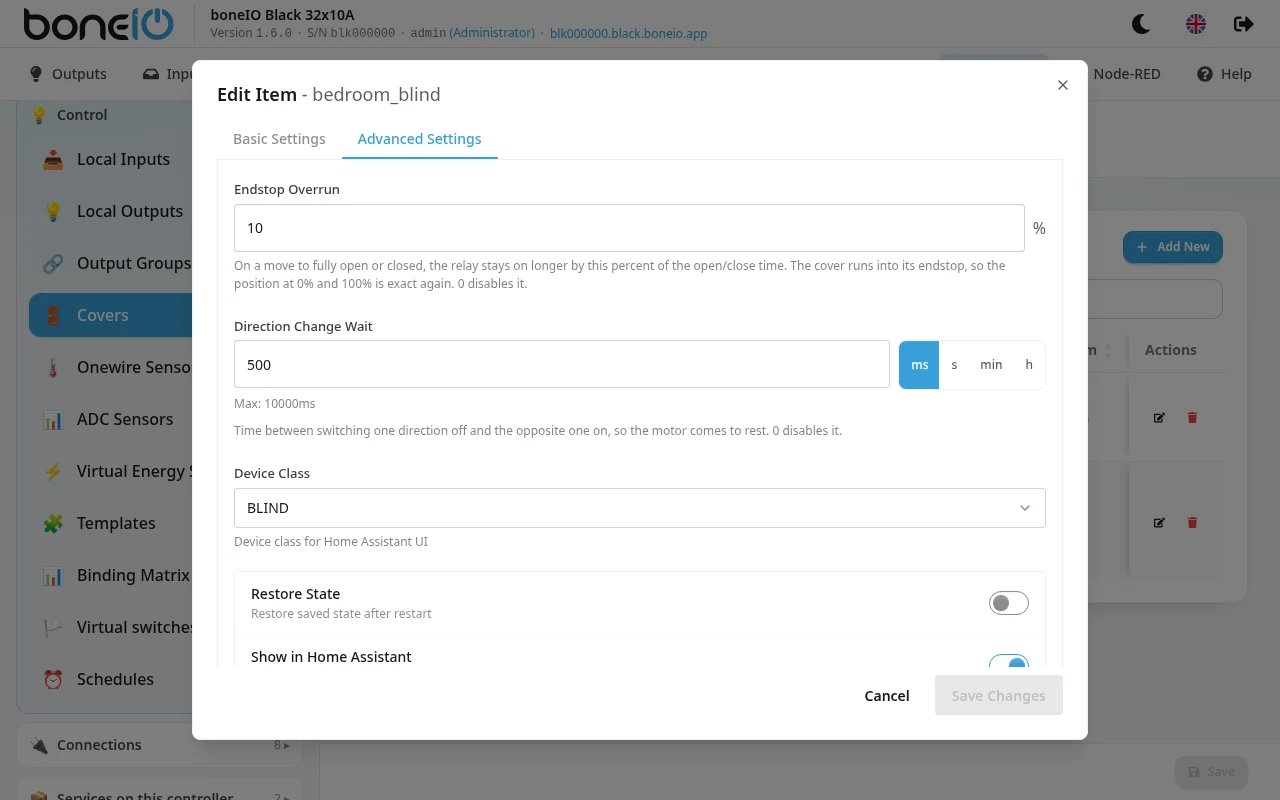
| Field | What it does |
|---|---|
| Endstop Overrun | On a move to fully open or fully closed, the relay stays on longer by this percent of the open/close time, so the cover runs into its endstop. Default 10 % — about 3 s on a 30 s cover. 0 turns it off. |
| Direction Change Wait | Pause between switching one direction off and the other on, so the motor stops before it reverses. Default 500ms, up to 10 s. 0 turns it off. |
| Device Class | What Home Assistant shows the cover as (blind, shutter, garage and so on). |
| Restore State | After a restart, the cover starts from the position it had before, instead of assuming it is fully open. Off by default. |
| Show in Home Assistant | Announce the cover to Home Assistant. On by default. |
How a cover moves
- Full open and full close run into the endstop. The controller keeps the relay on a little longer (Endstop Overrun) so the cover really reaches the end. That corrects the small drift a time-based position collects, every time the cover goes all the way. A cover already fully closed is not driven again.
- Reversing waits for the motor to stop. Going straight from up to down waits Direction Change Wait first. Carrying on in the same direction does not wait.
- Stop is exact. A cover stopped mid-way keeps the position it actually reached.
- A venetian blind at 0% with its slats open still responds to Close — it shuts the slats. The panel's Close button stays active until they are shut. Home Assistant's own cover card greys out Close at 0%, because it looks only at the position; use Close tilt there.
Endstop Overrun and Direction Change Wait apply to every cover, including ones set up before 1.6 — after updating, a full open or close
runs about 10% longer and a reversal pauses for half a second. If your motor has no endstops, set Endstop Overrun to 0.