Virtual energy sensor
virtual energy sensor
Virtual meters are a very interesting aspect of the controller. In the case of connecting a source with constant consumption to a given output, they allow for the creation of a meter based on the active time of that output and a user-defined flow/energy consumption.
Configuration in the web application
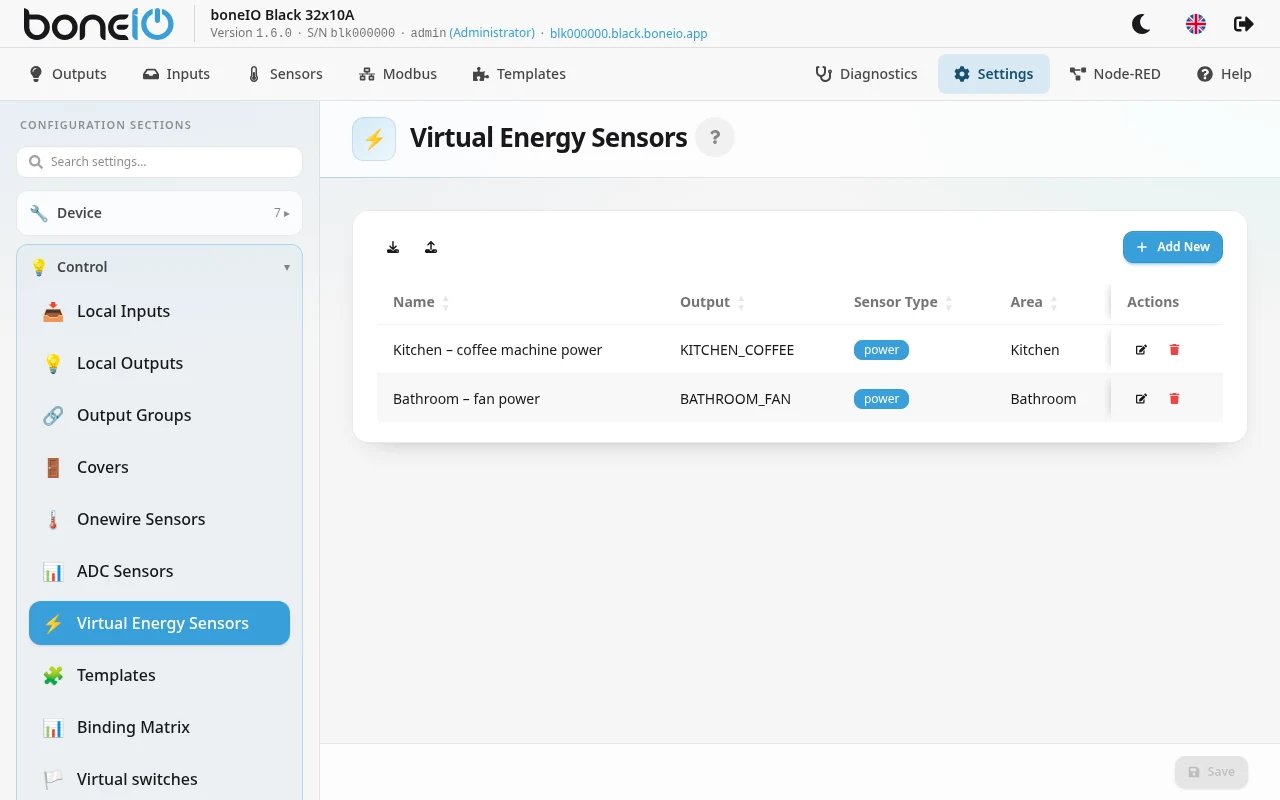
Recommended configuration method. Open Settings → Control → Virtual Energy Sensors.
Sample webui configuration
Currently, there are two types of sensors - an electricity meter and a flow meter.
Adding a new one
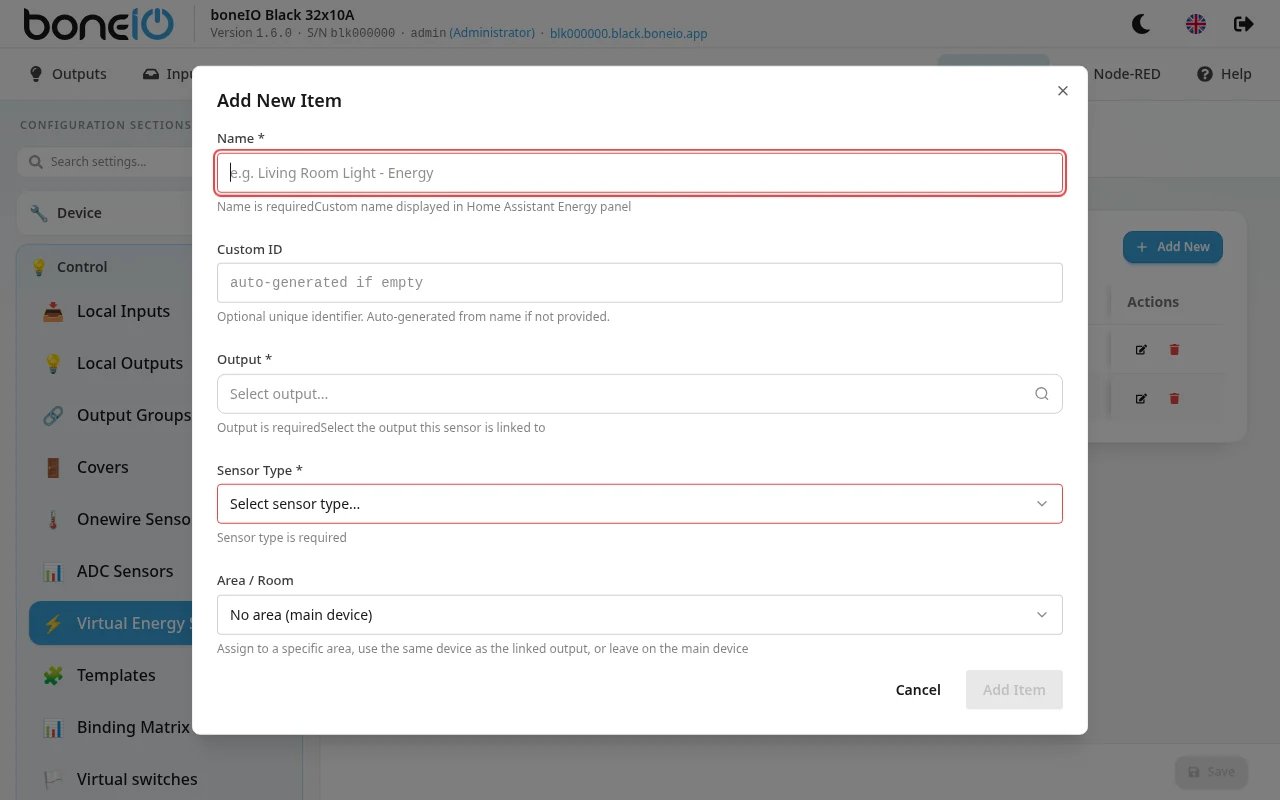
| Option Name | Description |
|---|---|
| Name | Virtual sensor name - Visible in the webui, MQTT, and HA. |
| Custom ID | Allows entering a user-defined device ID. |
| Output | Selection of the output the sensor is associated with. |
| Sensor Type | Allows selection between energy and flow measurement. |
Energy:
| Option Name | Description |
|---|---|
| Power usage | Power consumption of the sensor - expressed in Watts. |
| Area | Selection of the appropriate area. |
Flow:
| Option Name | Description |
|---|---|
| Flow | Water flow for the sensor - expressed in liters per hour. |
| Area | Selection of the appropriate area. |
How the total is counted and kept
- While the output is on, the counter adds up energy (Wh) or water (L) and sends the total every 30 seconds.
- Switching the output off counts the last stretch too, so a light that was on for 10 seconds is counted.
- The total survives a restart. It is kept on the MQTT broker. At start the counter first fetches it from the broker and sends nothing until it has — even when the broker connection is slow — and the time the output was on in the meantime is added, not lost.
Because the total lives on the MQTT broker, it is only as safe as the broker's stored messages: a broker that is reinstalled, or one that does not save them to disk, starts every counter from 0. If the broker has no stored total within about 15 seconds of connecting, the counter starts counting from 0 too.
YAML Editor
Sample configuration
virtual_energy_sensor:
- name: Lighting - test
  output_id: OUT_01
  sensor_type: power
  power_usage: 30
  area: test