Presence simulation
Make an empty house look lived in — lights that come on and go off in the evening like someone is home.
Going on holiday? The presence simulation switches lights in the evening as if someone were walking through the house: as it gets dark a light comes on in the living room, later in the bedroom, then in the kitchen — and at bedtime everything goes off. You turn the whole thing on and off with one switch, Away.
Setting it up
Open Settings → Control → Schedules and click Presence simulation. The wizard asks four things:
- Lights — click the lights in the order they should come on through the evening. The number shows the order.
- Timing — when the evening ends (Everything goes off at, e.g. 23:10). The start follows civil dusk on its own, calculated each day from the controller's location.
- Randomness — how much the evenings should differ from each other:
- Calm — the same steps every evening, each within a quarter of an hour of the day before,
- Normal — half an hour of drift, and a step is occasionally skipped,
- Lively — up to about forty minutes of drift, and roughly one step in three is skipped.
- Summary — what it will do and what it will create. Click Create.
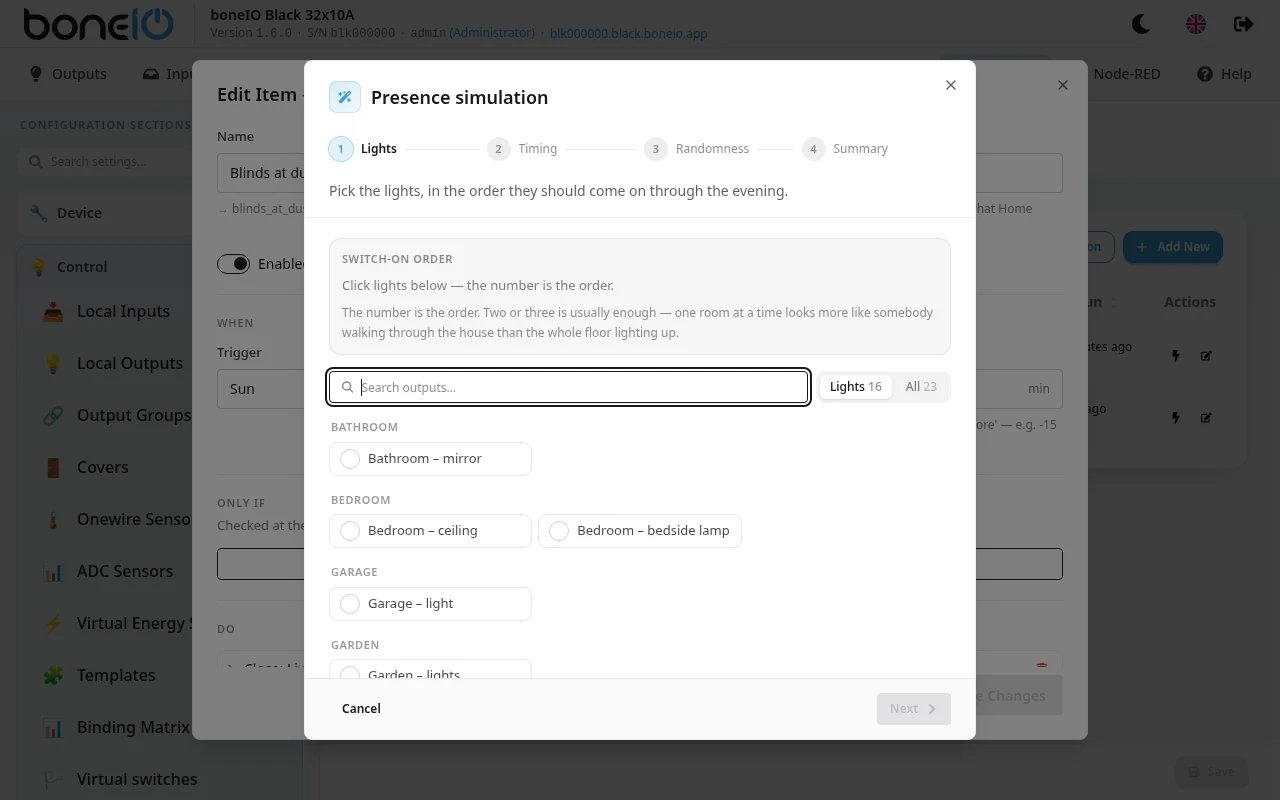
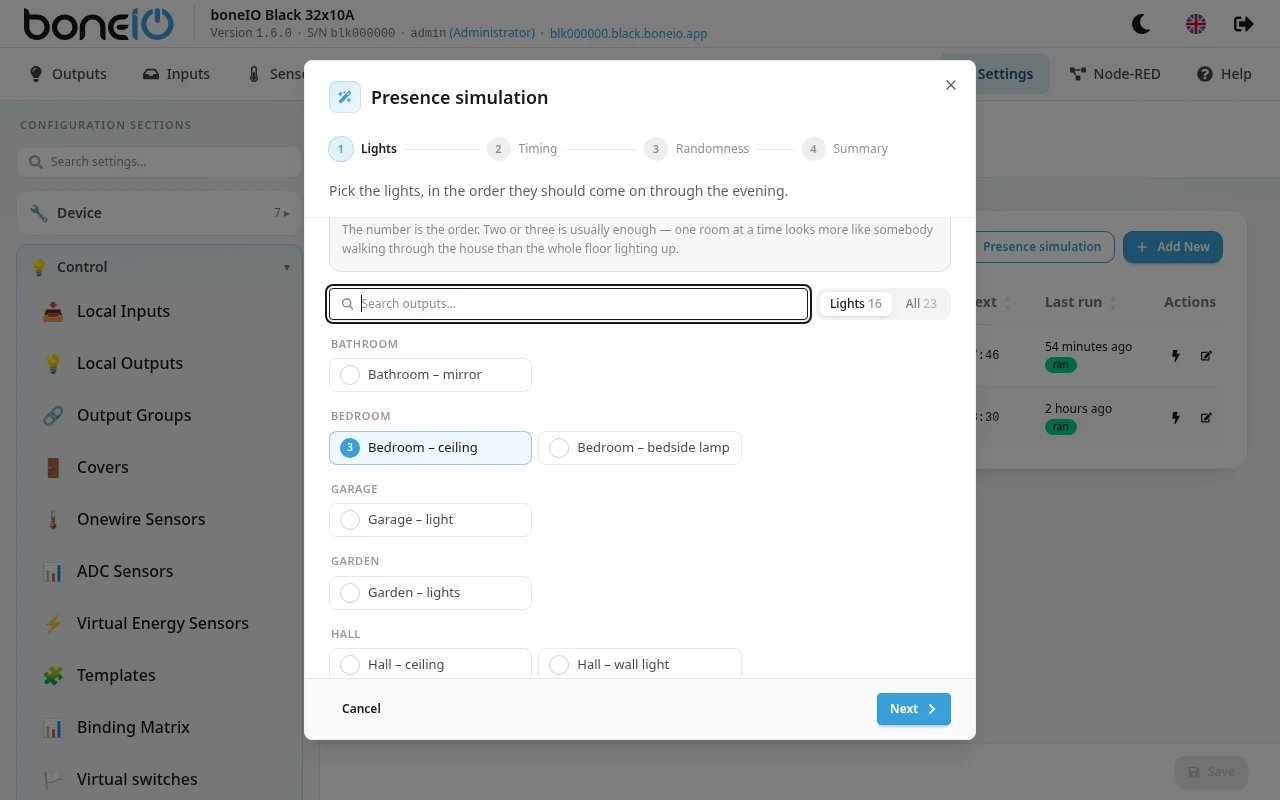
The location must be set first — the first light follows dusk. See Location.
Using it
- Leaving — turn on the Away switch: in Home Assistant, on the Outputs page of the panel, or with a button you assign to it. If it is already dark (and not yet bedtime) when you leave, the first light comes on straight away.
- Coming back — turn Away off. Every light the simulation uses is switched off, so nothing is left burning.
While Away is off, nothing happens — the simulation never runs while you are at home.
What the wizard creates
Nothing magical: one virtual switch (Away), one schedule per light, and one more schedule that switches everything off. Four lights and bedtime at 23:10 give roughly:
~21:10  Living room on       ← at dusk, but no later than the evening start
~21:40  Bedroom on           (living room off)
~22:10  Kitchen on           (bedroom off)
~22:40  Study on             (kitchen off)
 23:10  everything off
One room at a time looks like someone walking through the house; the whole floor lit at once looks like a timer. In summer, when dusk is very late, the first light comes on no later than two hours before bedtime, so the evening does not shrink to an hour.
Afterwards they are ordinary entries on the Schedules and Virtual switches pages — you can rename them, change the times,
delete one or add another. Everything the wizard creates has an identifier starting with presence_. Running the wizard again replaces all of those entries —
including ones you renamed or edited — and leaves everything else alone.
Good to know
- The final everything off always runs — a step that sometimes does not happen is realistic, a light that stays on until morning is not.
- The simulation does not pick rooms at random: it can skip a step, but it will not light the kitchen instead of the bedroom.
- Weekends are not different. For a later Friday evening, add a second set of schedules by hand.