Node-RED
Updating Node-RED
Node-RED runs on the controller as its own container, and is updated separately from boneIO, in Settings → Services on this controller → Node-RED.
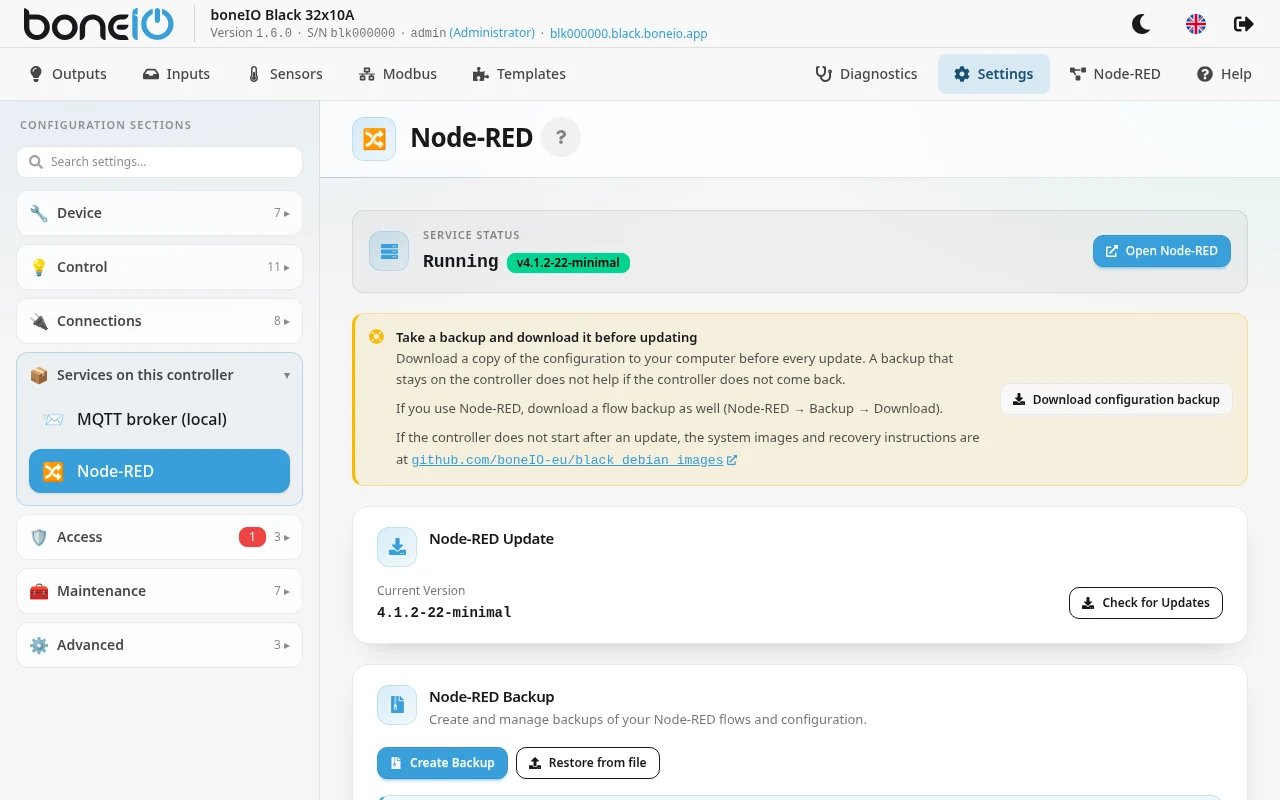
- Click Check for Updates. Only versions that have an image for this controller, and that keep the same flavour as the one you run, are offered.
- Click Update Now and confirm.
What happens and what it costs:
- A backup of your flows is made first, automatically.
- Node-RED is unavailable while it updates. boneIO, its outputs and its own automations keep running.
- It checks for space before downloading. A new image needs about four times its download size free, and never less than 500 MB. If there is not enough, the update stops before anything changes and says how much it needs and how much is free.
- The download can take several minutes on the controller. Let it run.
- If the new version cannot be downloaded or does not start, the previous one is put back.
When it finishes the panel says Node-RED updated and suggests removing the previous image, which still takes up space — about 350 MB for a minimal one. Open Disk takes you to Diagnostics → System → Disk, where Remove unused images frees it.