Backups
Backups of Home Assistant and of the boneIO controllers, and what to restore after a failure.
A Home Assistant backup holds its whole configuration: integrations, automations, dashboards, users and apps. Set it up straight after the first run, before you start configuring.
The boneIO controllers keep their configuration themselves and have backups of their own, described below.
Home Assistant backups
Go to Settings → System → Backups.
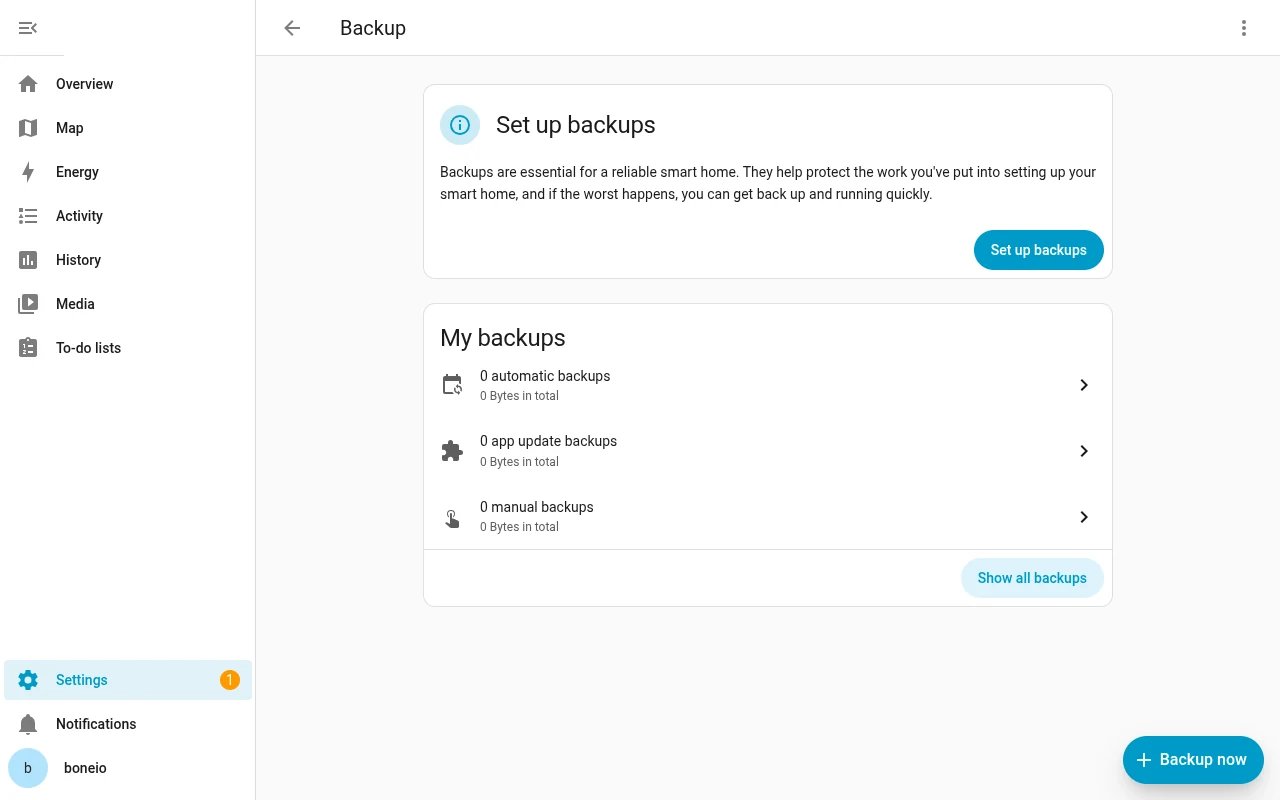
-
Click Set up backups.
-
Home Assistant shows an encryption key. Every backup is encrypted with it, and without that key no backup can be restored. Download the emergency kit and keep the file off the Home Assistant server: in a password manager, on another computer, printed.
-
In the next steps choose how often to back up, how many backups to keep and where to store them. Keep a copy off the server too: on network storage (a NAS) or in Home Assistant Cloud. A backup on the same disk does not help when the disk fails.
Backup now makes a backup on the spot, for example before a bigger change.
Restoring
On a new or reinstalled server, the Home Assistant wizard offers Upload backup and Home Assistant Cloud on its first screen (see First run). Choose the backup and enter the encryption key from the emergency kit.
boneIO controllers
boneIO Black. The configuration lives on the controller. Back it up in the boneIO panel: Backups. Restoring a Home Assistant backup changes nothing on the controller, and the other way round. After a controller is restored, Home Assistant finds its devices again over MQTT.
boneIO ESP. The controller's configuration is a YAML file in ESPHome Device Builder. If Device Builder runs as an app in Home Assistant, that file is in the Home Assistant backup. If it runs on your computer, keep the file yourself.
The most important actions (button → light, button → cover) are in the boneIO controllers' configuration. They work even when Home Assistant has to be rebuilt from scratch.