Configure covers
How to configure covers and venetian blinds in boneIO Black Cover.
The boneIO Black Cover controller allows configuration of 8 covers or blinds. Each cover can operate as a regular cover (TIME_BASED) or a venetian blind with tilt function (VENETIAN).
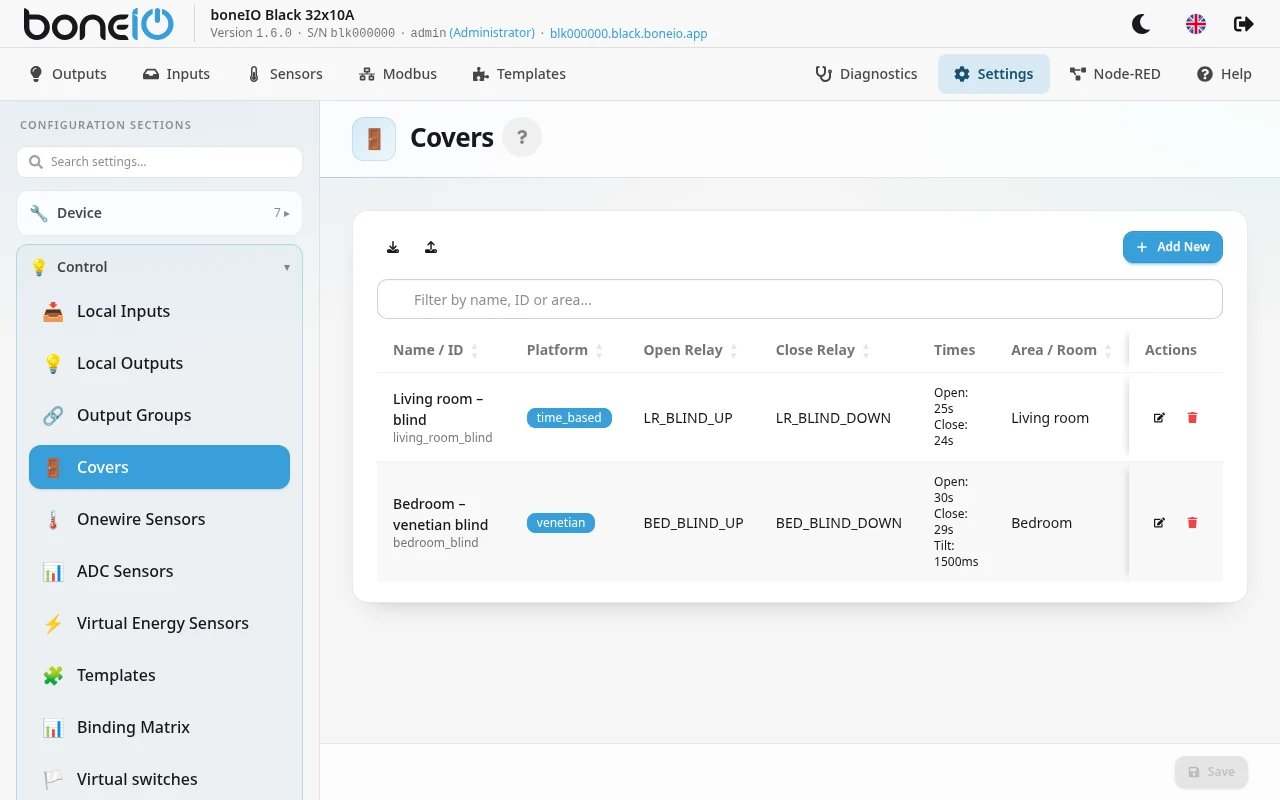
How to add or edit a cover?
- Go to Settings → Control → Covers
- Click Add New or the edit icon next to an existing cover
- Fill in the configuration form
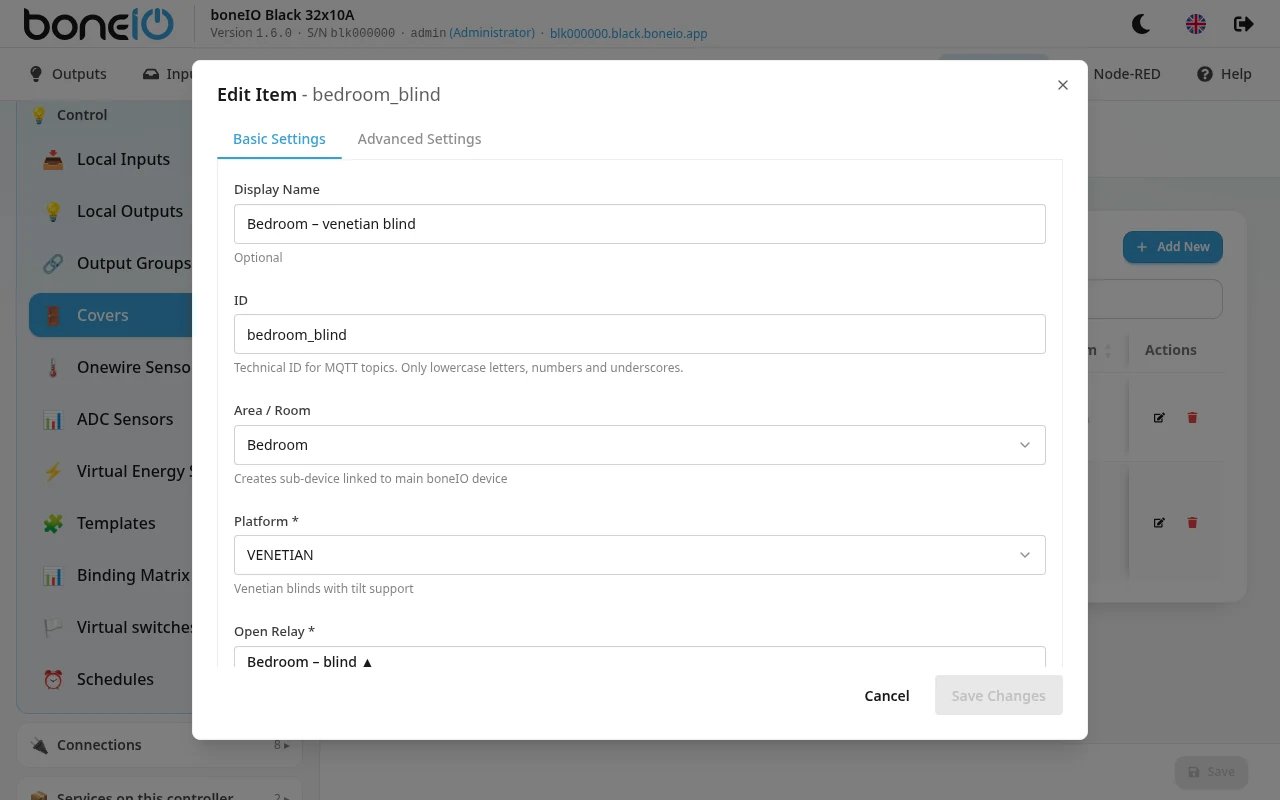
Basic settings
Display Name
Friendly name for the cover, e.g.:
Living Room CoverBedroom BlindTerrace Awning
This name will be visible in the interface and Home Assistant.
Custom ID
Technical ID of the cover (optional):
- If not provided, it will be auto-generated as
cover_{open_relay}_{close_relay} - Only lowercase letters, numbers, and underscores
- Example:
living_room_cover
We do not recommend changing the cover ID after it has been created. Changing the ID will cause loss of history in Home Assistant and require reconfiguration of automations.
Area / Room
Select an area from the dropdown - the cover will be automatically assigned to this area in Home Assistant.
Platform
Select the cover type:
| Platform | Description | Use Case |
|---|---|---|
| TIME_BASED | Regular time-controlled cover | Covers, awnings, curtains |
| VENETIAN | Venetian blind with tilt function | Blinds with adjustable slat angle |
TIME_BASED is the most popular choice for regular covers. Choose VENETIAN only if you have blinds with adjustable slat angle (tilt).
Open Relay
Select the output responsible for opening (up):
cover_01_up,cover_02_up, ...cover_08_up
Close Relay
Select the output responsible for closing (down):
cover_01_down,cover_02_down, ...cover_08_down
Make sure you select a pair of relays for the same cover! E.g., for cover 1: cover_01_up and cover_01_down.
Open Time
Time required for full opening of the cover, e.g.:
30s- 30 seconds45s- 45 seconds1m- 1 minute
Minimum: 1 second
Close Time
Time required for full closing of the cover, e.g.:
30s- 30 seconds45s- 45 seconds
Minimum: 1 second
How to measure time? Use a stopwatch and measure how long it takes for full opening/closing of the cover. Add 1-2 seconds margin.
Tilt Duration (VENETIAN only)
Time required for full slat rotation (venetian blinds only), e.g.:
500ms- 500 milliseconds1s- 1 second
Minimum: 10 milliseconds
This field appears only when you select VENETIAN platform.
Advanced settings
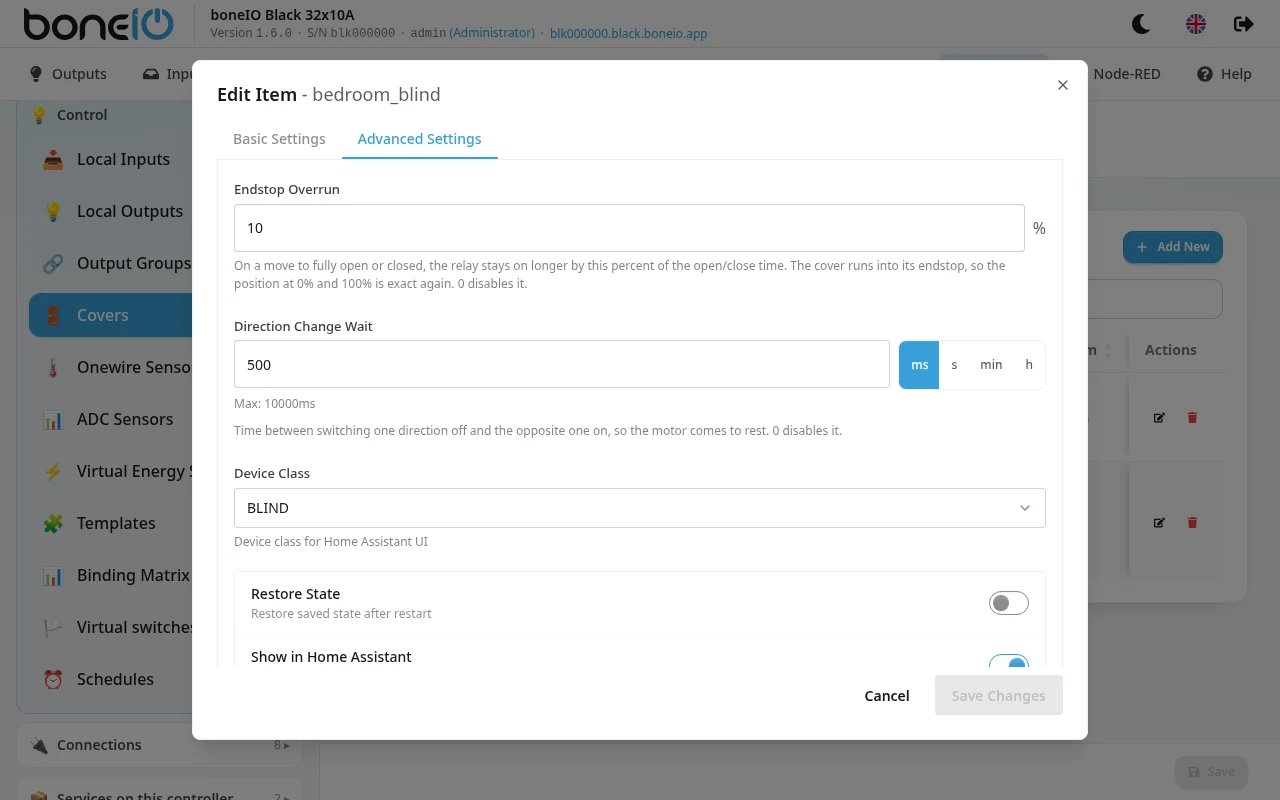
Click the Advanced Settings tab to access additional options:
Device Class
Device type in Home Assistant (affects icon):
| Device Class | Icon | Use Case |
|---|---|---|
| window | Window | Windows |
| blind | Blind | Blinds |
| curtain | Curtain | Curtains, drapes |
| shutter | Shutter | External shutters |
| awning | Awning | Awnings |
| garage | Garage | Garage doors |
| gate | Gate | Entry gates |
| shade | Shade | Sun shades |
| door | Door | Doors |
| damper | Damper | Ventilation dampers |
Other advanced options
- Restore State - restore state after restart
- Show in HA - visibility in Home Assistant
- Other parameters - platform-dependent
Configuration examples
Example 1: Regular cover in living room
- Display Name:
Living Room Cover - Area / Room:
Living Room - Platform:
TIME_BASED - Open Relay:
cover_01_up - Close Relay:
cover_01_down - Open Time:
30s - Close Time:
30s - Device Class:
shutter
Example 2: Venetian blind in bedroom
- Display Name:
Bedroom Blind - Area / Room:
Bedroom - Platform:
VENETIAN - Open Relay:
cover_02_up - Close Relay:
cover_02_down - Open Time:
25s - Close Time:
25s - Tilt Duration:
800ms - Device Class:
blind
After saving, the covers will appear in the table and be available in Home Assistant in the corresponding areas.