Advanced & Guides
Connecting Digital Inputs
Guide how to connect different types of devices to boneIO ESP digital inputs.
Momentary Switch
Digital inputs are used for connecting switches and sensors. By default, they are ground-controlled.
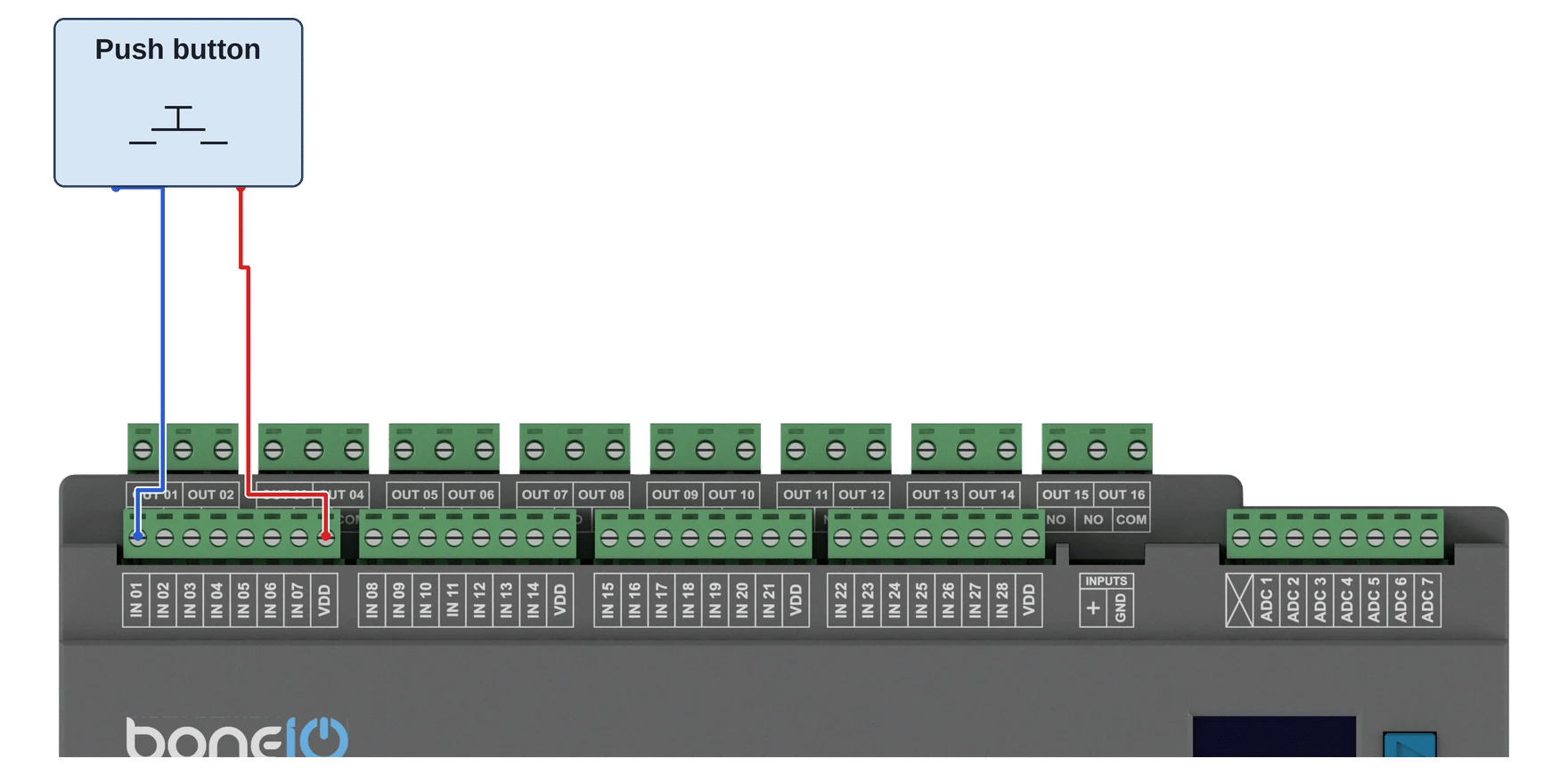
- Connect one of the wires from a momentary switch to the common
VDDterminal. - Connect the other wire to the desired input terminal (e.g.,
IN01). - Pressing the switch will close the circuit, which will be interpreted as an "on" signal.
Kod yaml
event:
  - id: MyName
    boneio_input: IN_29
    actions:
      single:
        - action: output
          pin: light
action_output: toggle- Simple singleclick configuration which changes light state.
Reed switch
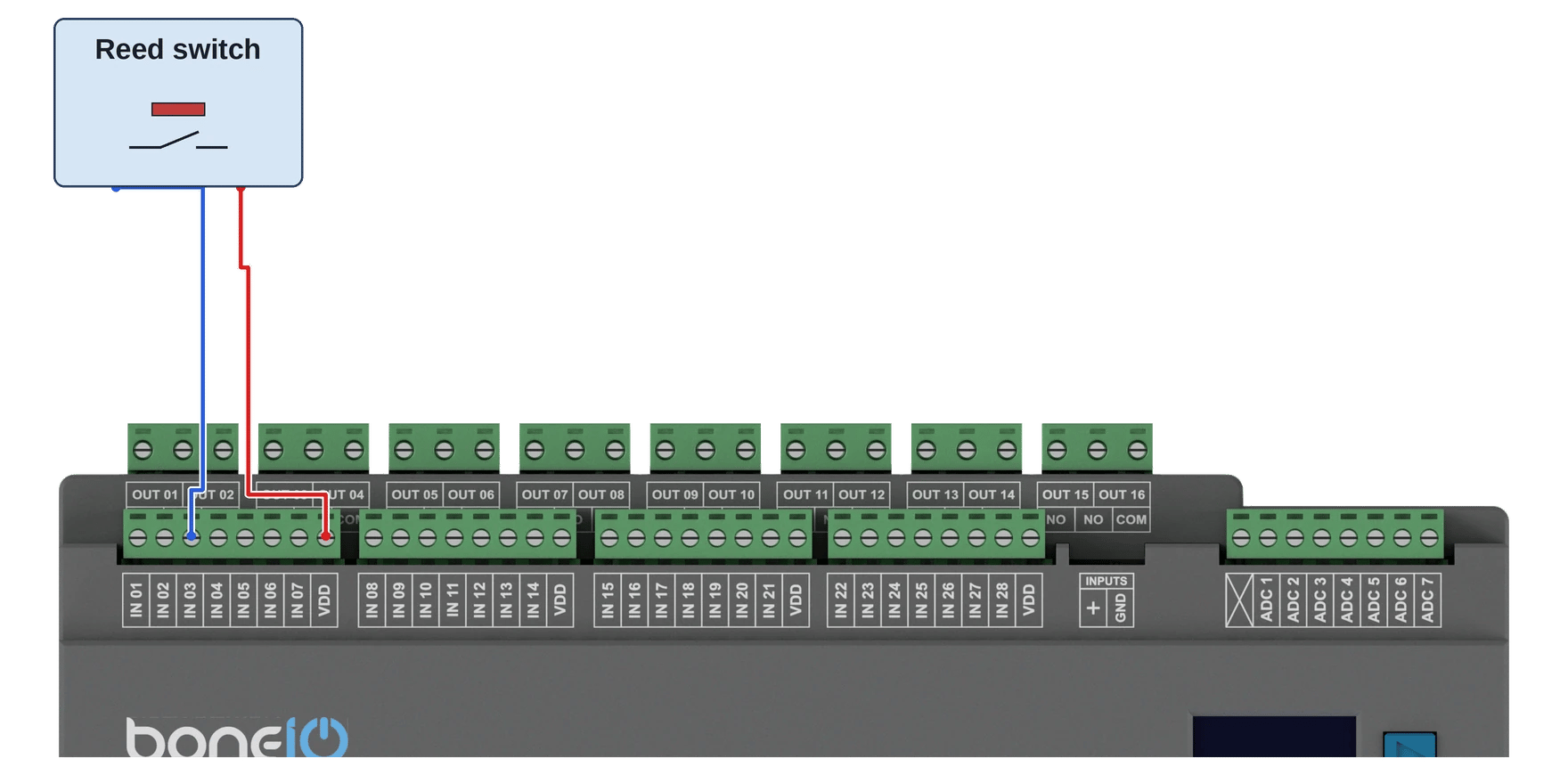
- Connect one of the wires from a momentary switch to the common
VDD(ground or +) terminal. - Connect the other wire to the desired input terminal (e.g.,
IN03). Do not use an input from the list of limitations: a reed switch may be closed when the controller starts. - When the reed switch is closed, the circuit will be closed, which will be interpreted as an "on" signal.
Motion sensor
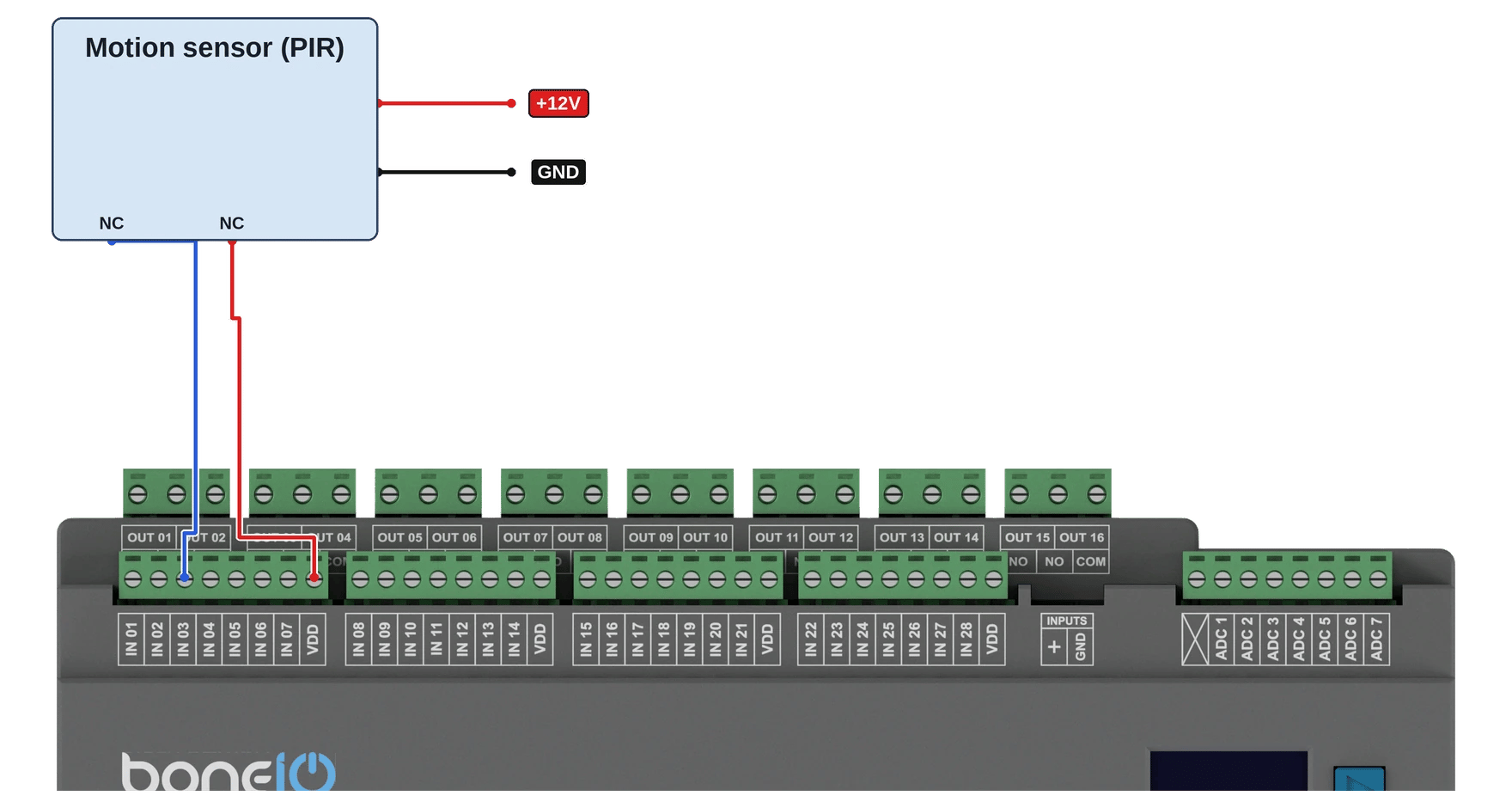
- Connect one wire from VDD to one of the NC terminal in motion sensor.
- Connect second wire from NC terminal to the desired input terminal (e.g.,
IN03, not one from the list of limitations) - Connect 12V power supply to the motion sensor terminals.
- When the motion sensor is triggered, the circuit will be closed, which will be interpreted as "motion" signal.