Configure outputs
How to configure relay outputs in boneIO Black 32x10A.
Outputs are relays that control electrical devices. The boneIO Black 32x10A controller has 32 relays rated at 10A.
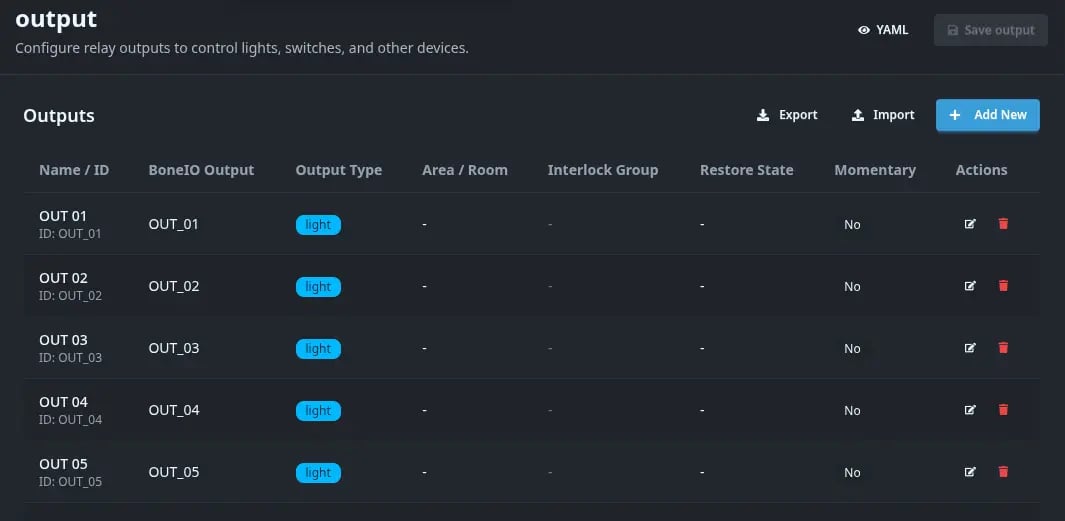
How to add or edit an output?
- Go to Settings → Outputs
- Click Add New or the edit icon next to an existing output
- Fill in the configuration form
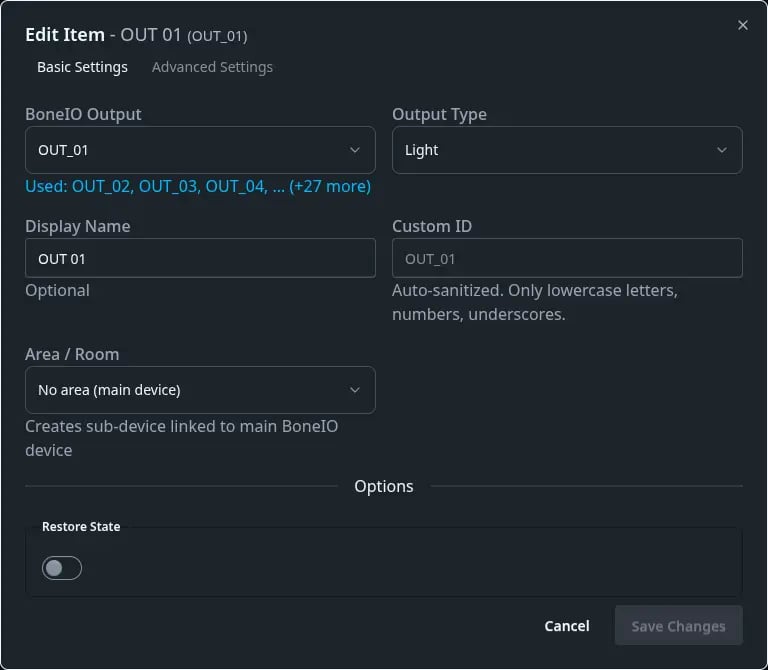
Basic settings
BoneIO Output
Select the physical relay number from the dropdown:
OUT_01,OUT_02,OUT_03, ...OUT_32
All outputs are occupied - free one up or select a different device type.
Output Type
Select the type of device to be controlled:
| Type | Use Case | HA Icon |
|---|---|---|
| Light | Lighting | Light bulb |
| Switch | Switch (pumps, heaters, etc.) | Switch |
| Valve | Water valve | Valve |
The type defines how the output will be displayed in the web interface and Home Assistant.
Display Name
Friendly name for the output, e.g.:
KitchenLiving Room TVBedroom Lamp
This name will be visible in the interface and Home Assistant.
Custom ID
Technical ID of the output (auto-generated from name):
- Only lowercase letters, numbers, and underscores
- Example:
OUT_01→ name:Kitchen→ ID:kitchen
We do not recommend changing the output ID after it has been created. Changing the ID will cause loss of history in Home Assistant and require reconfiguration of automations.
Area / Room
Select an area from the dropdown (previously configured in the Areas section).
The output will be automatically assigned to this area in Home Assistant.
Options
Restore State
Enable to have the output remember its state after controller restart.
- ✅ Enabled: After restart, the output returns to its last state (ON/OFF)
- ❌ Disabled: After restart, the output will be off
Advanced settings
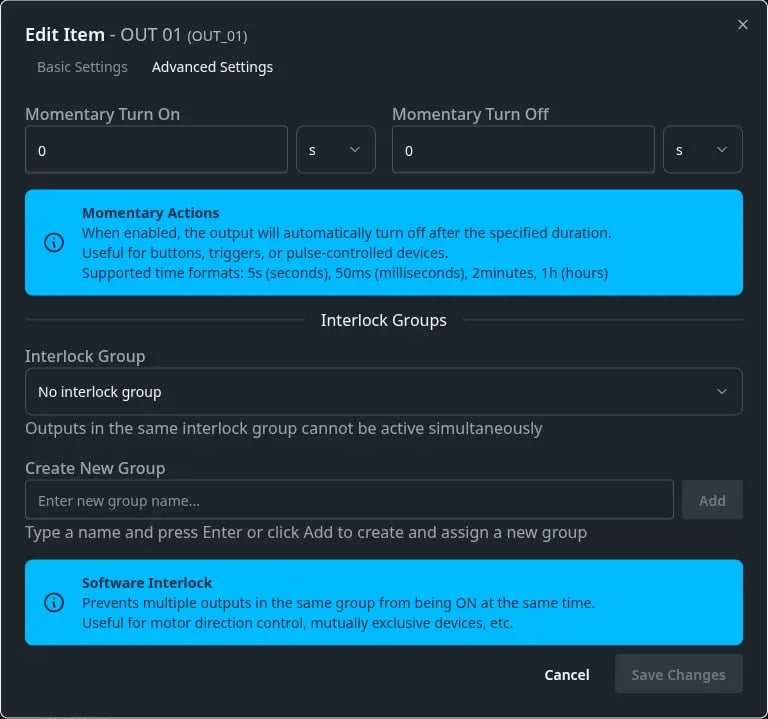
Click the Advanced Settings tab to access additional options:
- Interlock Group - mutual exclusion (only one output in the group can be on)
- Momentary - output automatically turns off after a specified time
- Other options - depending on output type
Configuration example
Scenario: You want to configure kitchen lighting on relay OUT_01.
- BoneIO Output:
OUT_01 - Output Type:
Light - Display Name:
Kitchen - Area / Room:
Kitchen(previously created in Areas) - Restore State: ✅ Enabled
After saving, the output will appear in the table and be available in Home Assistant as light.kitchen in the "Kitchen" area.