How to gather logs?
How to gather logs from Esphome.
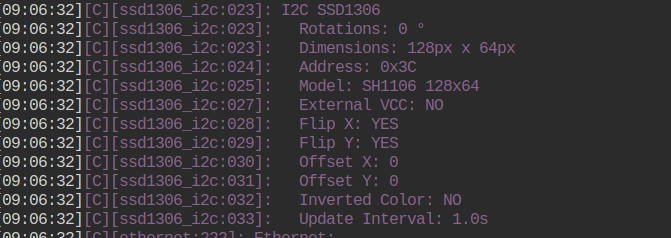
There are several ways to gather logs from boneIO ESP. The easiest is to go to Esphome dashboard and click Logs of the boneIO device.
But sometimes it's not enough. It has some dependencies which might make troubles. Your browser has to be open.
There are other ways to gather logs to the file, so you can see it later.
You'd need one of the following:
- Linux system with tmux installed (or byobu, or shell-rc),
- HA OS with addon installed and activated Advanded Web & SSH Terminal with disabled protection mode!.
- HA on debian with addon Advanded Web & SSH Terminal with disabled protection mode!
Linux systems
For linux system you'd need install esphome through eg pipx. pipx install esphome, copy boneio config and run following command
esphome logs boneio.yaml | tee boneio.logHA OS
For HA methods in Advanded Web & SSH Terminal run following:
docker ps | grep esphomeMake sure that last column is addon_5c53de3b_esphome. If not replace string in below command with the one you have.
Prior to run command make sure you do have enough space to save logs in your folder.
I assume that:
- addon name is
addon_5c53de3b_esphome - boneio config is
/config/esphome/boneio.yaml
Command
docker exec -it addon_5c53de3b_esphome /usr/local/bin/esphome logs /config/esphome/boneio.yaml | tee /config/boneio.logsLeave the terminal alone now. Logs will be saved to /config/boneio.logs. When you done don't forget to kill the command, because it will consume your space, RAM and CPU. Kill it simply by clicking CTRL+C in terminal.