Logger
The Logger allows for the diagnosis of almost all controller parameters, from the application through inputs and outputs, to the Modbus bus. It is a very powerful and useful tool for identifying potential issues. The default logging level is INFO.
Web application configuration
Recommended configuration method.
Sample webui configuration
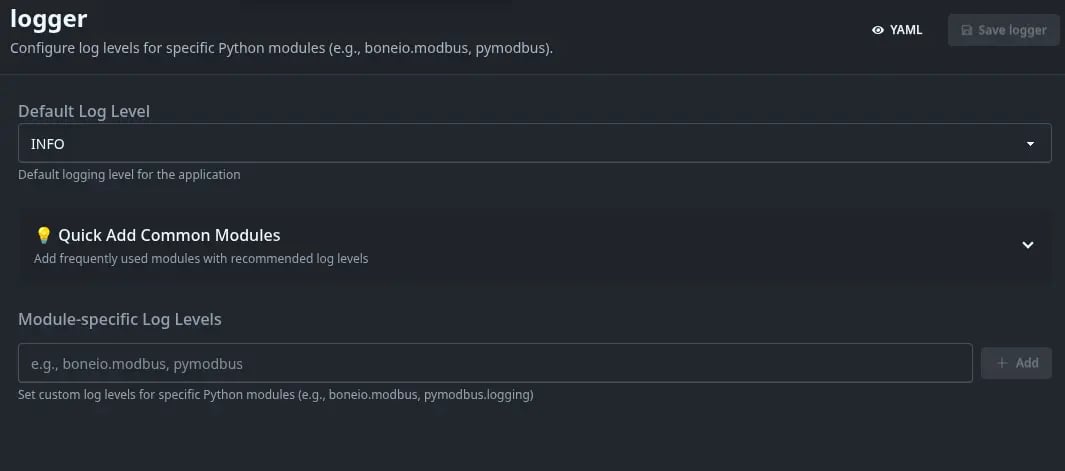
| Option name | Description |
|---|---|
| Default logging level | Allows changing the logging level, from the very general INFO to extremely detailed DEBUG, as well as very specific levels such as WARNING, CRITICAL, or ERROR. |
| Quickly add Popular Modules | Allows specifying action logging for individual controller modules. |
| Logging levels for Modules | Shows defined logging levels for individual modules, with the option to change or remove them. |
tmux
boneio run -c config.yaml -d
boneio run -c config.yaml -dd- -d - means that debug logs will be shown for the application, but not for submodules such as the MQTT client or Modbus bus.
- -dd - means that debug logs will be shown for both the application and submodules.
The debug Logger can be configured via a YAML file.
Sample configuration
logger:
  default: DEBUG
  logs:
    pymodbus.client: DEBUG
Configuration variables
- default (Optional, string) - Default logging level for the application.
- logs - Manually specify the logging level for application submodules as a dictionary (dict), where the key is the logger module name and the value is the logging level to set.